November 18, 2026 · 15 min read
Language Access Policy for Events: A Practical Guide
Build a language access policy for your event: what the U.S. rules expect, how to find attendee needs, and how QR-code live captions and translation fit.

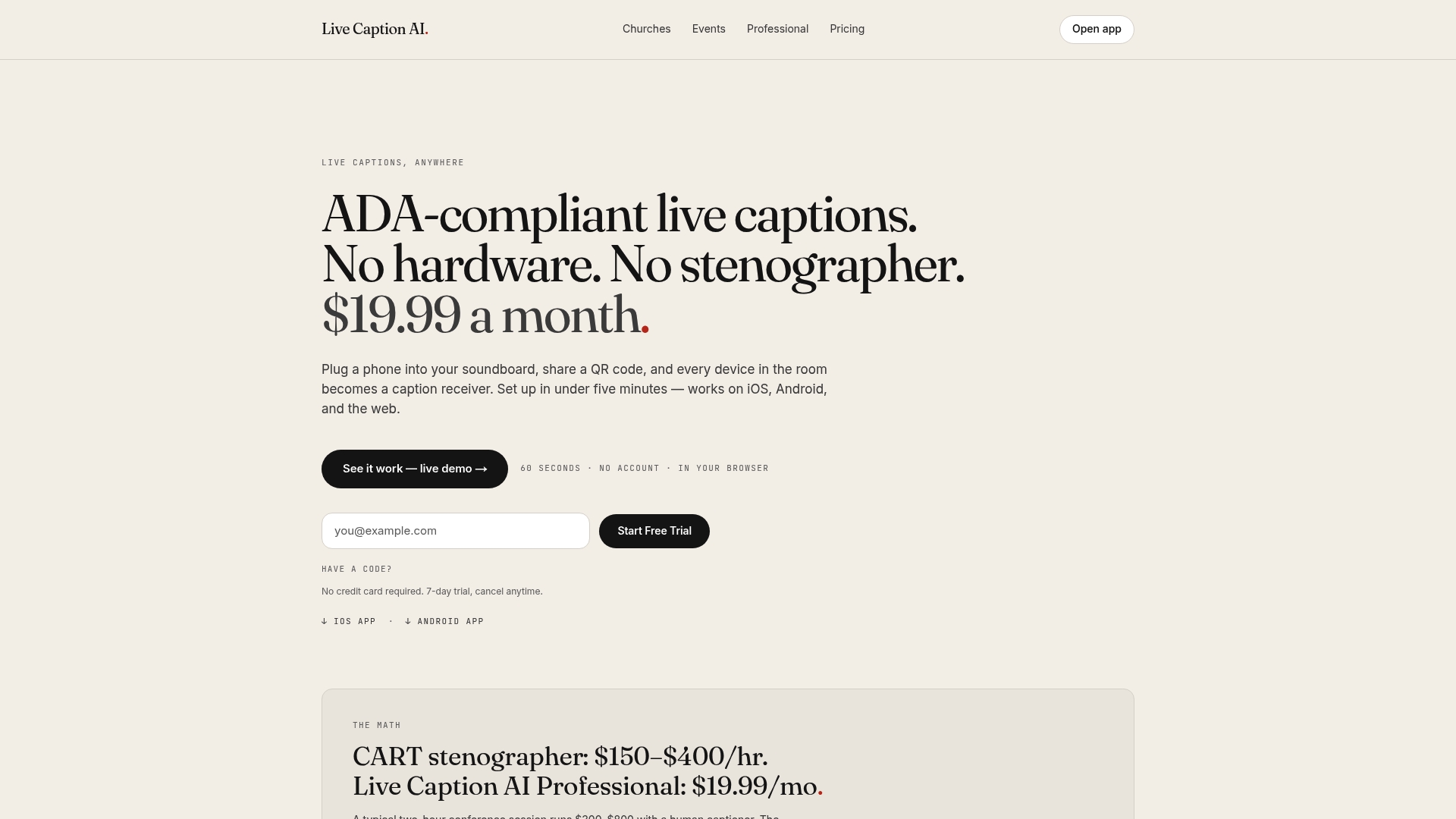
A language access policy for an event is a short written plan that says how every attendee can follow and take part, whatever language they speak and whether or not they can hear the room. You name the language needs you expect, the services you will provide (captions, interpretation, translated materials), who is in charge, and how people ask for help. For churches, event teams and AV companies on a budget, live captions and translation that attendees read on their own phones are the simplest way to put that plan into practice. Live Caption AI does this with a QR code: the speaker runs it, attendees scan, and captions appear on their phones.
TL;DR
- A language access policy is a one-to-two page plan: needs, services, roles, request process, budget, timeline and feedback.
- Federal rules on effective communication cover people with communication disabilities. Language access for people with limited English is set by federal programs, states and cities, so check which rules apply to you.
- Ask attendees what they need at registration. Do not guess from appearance or assumptions.
- Live Caption AI puts captions on every phone in the room by QR code and translates into one of 34 languages per session. The Professional plan is $19.99 a month.
- Publish an accessibility statement, test before doors open and collect feedback afterward.
Table of Contents
- What a language access policy covers at an event
- What the rules actually expect
- Step 1: Find out what your attendees need
- Step 2: Pick the services, and know the terms
- Step 3: Put captions and translation in every attendee’s hand
- Step 4: Schedule the work
- Step 5: Tell people what is available
- Step 6: Collect feedback and improve
- A one-page policy template
- Perspective: why we built for the phone in every pocket
- Plan and pricing
- FAQ
- Sources
What a language access policy covers at an event
Two groups of people are usually in mind.
People with limited English proficiency (LEP). The U.S. Department of Justice defines LEP as not speaking English as a primary language and having limited ability to read, write, speak or understand it. Its own plan commits to timely, accurate, meaningful access at no cost to the individual.
People who are deaf or hard of hearing. The same DOJ plan covers them alongside LEP individuals. Captions and sign language interpreters serve this group.
One policy can handle both. A community guide on event planning suggests a language-access team, a plan for translated materials and interpretation, assigned roles, troubleshooting, a budget, partnerships and a timeline. That list works as a skeleton for your own one-pager.
What the rules actually expect
Your obligations depend on who you are. Here is the plain version.
Disability access: the ADA
The DOJ says state and local governments (Title II) and businesses and nonprofits serving the public (Title III) must communicate effectively with people who have communication disabilities. Under 28 CFR 36.303, public accommodations furnish appropriate auxiliary aids when needed. Real-time captioning is on the list of aids. So are qualified interpreters.
Three practical points follow:
- The right aid depends on the person’s usual communication method and on the nature, length, complexity and context of the communication. The DOJ says to consult the individual when possible.
- You cannot require a person with a disability to bring their own interpreter. Relying on a minor child to interpret is also generally prohibited, apart from a narrow emergency exception, per the same regulation.
- Aids are required unless they would fundamentally alter the offering or cause an undue burden.
Live Caption AI is an AI captioning tool. It is not certified or human-reviewed, and it does not make an organization ADA-compliant on its own. An organization can use it as one part of its ADA effective-communication plan, alongside the other steps in the plan.
Language access: federal programs, states and cities
Language access duties for LEP people come mostly from federal funding rules, state law and local policy, not from one rule for every event. Examples:
- Federal agencies follow Executive Order 13166. NASA’s plan says it prioritizes language help at public-facing activities such as public lectures, conferences and community events.
- California state-funded programs must take reasonable steps to support in-language access, and the state’s November 2026 guide asks covered entities to weigh five factors: the size or share of the LEP population, how often they come into contact, the importance of the program, the importance of the communication, and available resources. It also says to tell LEP people that interpretation and translation are free and where to complain.
- Philadelphia’s Office of Immigrant Affairs applies its language access plan to all its programming and events. It bars asking the public to bring their own interpreter or using minor children to interpret.
- New York City’s Accessible Events Guide says accessibility requirements apply to city events, events by city contractors, and public-facing events held by private or nonprofit entities, with or without admission fees.
A church or private event team may not be bound by every one of these. They still show the standard that grant-makers, city partners and your own attendees will measure you against. If you rent a city venue, take city money or run a public event, ask your funder or venue which plan applies. For legal questions about your situation, talk to an attorney.
Step 1: Find out what your attendees need
Do not presume. The DOJ’s plan tells staff not to assume a person’s primary language from appearance and to let people say how they communicate most effectively. Ask instead.
- Add one question to registration. Collect preferred language through a pre-event survey or registration question, and say the answer is used for inclusion and accessibility.
- Add an accommodation request line. Google’s open source team suggests a simple, non-identifying form and collecting requests at least two weeks ahead.
- Map every touchpoint. The same community guide lists registration, publicity, virtual platforms, phone lines, event files and post-event publications as places language gaps hide.
- Watch local trends. Madison, Wisconsin’s plan commits to monitoring demographic changes to decide which languages to serve. A church can do the same by asking its own congregation and neighbors.
Walk-in guests will not have filled out your form. That is where a QR code helps: anyone in the room can scan it and read captions with no app or account, so you are not limited to the needs you predicted.
Step 2: Pick the services, and know the terms
The words get mixed up, so here is the short version.
| Service | What it does | Good for |
|---|---|---|
| Live captions | Spoken words shown as text in the same language | Deaf and hard-of-hearing attendees, noisy rooms, anyone who reads faster than they listen |
| Live translation | Spoken words shown as text in another language | Attendees who read a different language better |
| Interpretation | A person speaks or signs the message in another language | Sign language users, and any setting where you want a person in the loop |
| Translated materials | Written handouts, flyers and signs in other languages | Pre-event outreach and take-home information |
Massachusetts describes CART (Communication Access Realtime Translation) as turning spoken English into visual English with no translation component. It can be shown on a smartphone, tablet, laptop, monitor or projector. Captions in the speaker’s language and translated captions are two different jobs, and a good policy lists both.
Sign language interpreting serves a distinct audience from captions. If a deaf attendee tells you ASL is what works for them, arrange it. The ADA guidance above says to consult the person.
Step 3: Put captions and translation in every attendee’s hand
This is where Live Caption AI fits, and where costs come down for churches and small event teams.
How it runs:
- The speaker runs Live Caption AI on a phone or laptop.
- Attendees scan a QR code and read live captions on their own phones.
- No app to install, no account to create, no hardware to rent, no stenographer to book.
- Unlimited devices can follow along, and the speaker can see how many users joined the link.
Languages. The speaker picks one source language and one target language per session, from 34 target languages. Viewers can switch between the original and the translation. If your room needs three languages, plan three sessions or pair the tool with interpretation for the others.
Vocabulary. Names and specialized terms are where generic speech-to-text stumbles. Live Caption AI offers a Worship & Ministry model, a Medical model and a Finance & Earnings model. Custom Terms let the speaker type in up to 100 names, places and terms before going live. For a church, that is the pastor’s name, the guest speaker, the town and the ministry names. For a conference, it is the speaker roster and product names.
DHS training material stresses terminology consistency and quality control as part of good language service. Loading your Custom Terms before the session is the simplest way to build that in.
Extras. Speakers can add outside links that appear within the receiving URL, so attendees can reach your slides, giving page or program in one tap. After the session, transcripts can be exported as TXT, SRT, JSON or PDF, and AI summaries are included.
Privacy. Session audio is never stored. Every session’s transcript is saved automatically to the speaker’s account and is readable only by the speaker. Speakers can delete their transcript from History.
Step 4: Schedule the work
A timeline keeps the policy from becoming a document nobody uses. Adapt this one:
| When | Task |
|---|---|
| About 4 weeks out | Translate outreach and make it screen-reader accessible; post how to request services. Per the MAPC event template, this is the window for outreach. |
| 2 weeks out | Close the accommodation request window. Book any sign language interpreter or other human service you plan to use. |
| 1 week out | Brief presenters. The MAPC template suggests a prep session with interpreters or captioners and asking presenters to speak slowly. Enter your Custom Terms. |
| Day before | Run a short test session. Confirm the QR code scans from the back row and the target language is set. |
| Event day | Display the QR code on slides, programs and signs. Have a named person to help anyone who has trouble connecting. |
| After | Collect feedback, review the transcript, fix gaps. |
The Federal Bar Association’s accessibility manual also advises arranging professional ASL interpretation early enough to coordinate technical needs. Do not leave it to the last week.
Physical access belongs on the same checklist. Parking, entrances and routes are part of access, and a guide on ADA parking compliance fixes is a good starting point for the venue side.
For a fuller phase-by-phase list, see our event accessibility checklist with QR captions.
Step 5: Tell people what is available
A service nobody knows about does not help. The City of Los Angeles Department on Disability requires every city event to carry an accessibility statement on registration forms, flyers, websites and communications, explaining how to request reasonable modifications.
A short version for your own event:
- Live captions are available on your phone. Scan the QR code on screen or on your program.
- Live translation is available into [language]. Switch between original and translation in the caption view.
- To request a sign language interpreter or another accommodation, contact [name] at [email] by [date].
- Language help is free.
Put it on the registration page, the flyer, the website and the first slide. If you are covered by a rule like California’s, include where to complain. For wording ideas, see our web accessibility statement examples for live events.
Step 6: Collect feedback and improve
The Federal Bar Association manual recommends gathering accessible, preferably anonymous feedback, analyzing it and using it to improve. Ask three things: could you follow the event, was anything missed or mistyped, and what would you change? Add the missed terms to your Custom Terms list for next time. The saved transcript, readable only by the speaker, makes that review quick.

A one-page policy template
Copy this outline and fill it in:
- Purpose. Every attendee can follow and take part, whatever language they speak and whether or not they can hear.
- Needs. How we ask (registration question, request form) and who reviews answers.
- Services. Live captions on attendee phones; live translation into the requested language; sign language interpreter on request; translated outreach.
- Roles. Policy owner, tech lead for captions, greeter for connection help.
- Request process. Contact and deadline, published everywhere the event is promoted.
- No-cost promise. Language help is free. Attendees are never asked to bring their own interpreter.
- Testing. Test session the day before.
- Feedback. Anonymous form after the event; review within two weeks.
- Budget. Software subscription, interpreter fees and printing.
Perspective: why we built for the phone in every pocket
We built Live Caption AI around a simple observation: almost everyone in a room already carries a screen. Captions do not need rented hardware or a booth in the back. They need a QR code.
For a church, that means a visitor who speaks another language can read the sermon in their own language without asking anyone for a favor. For an event organizer, it means access is no longer a line item that only big budgets can afford. For an AV company, it means one setup that works for the next client too.
We also think specialized words matter. A caption that garbles a pastor’s name or a drug name loses the reader. That is why we offer Worship & Ministry, Medical and Finance models, and up to 100 Custom Terms you enter before you go live.
Privacy matters just as much. Session audio is never stored, and transcripts are readable only by the speaker, who can delete them from History at any time.
A policy on paper changes little. A QR code on the screen changes the room.
Ryan
Plan and pricing
Live Caption AI has a Free plan, a Professional plan at $19.99 a month with unlimited captioning and summarization, and a Business plan from $199 a month. Translation credits come as one-off packs: 30 credits for $6.99, 60 for $11.99 and 120 for $19.99. Current details are on the pricing page. Teams in medical and professional settings can read about live captioning for professional settings. For how this fits into a wider plan, see our ADA effective communication toolkit.
Put captions and translation on every phone in your room. Explore Live Caption AI
FAQ
Does every event need a language access policy?
Not every event is legally required to have a written one. Government programs, federally funded programs and some state-funded programs are, and the ADA’s effective-communication rule reaches many businesses and nonprofits serving the public. A written policy is still the easiest way to show your team and your funders how you handle access. If you are unsure which rules apply, ask an attorney.
Are live captions enough for a deaf attendee?
That depends on the person. The DOJ says the right aid depends on the person’s usual communication method and the context, and that you should consult them when possible. Some attendees prefer captions, others a sign language interpreter. Ask in your registration form, and let Live Caption AI cover everyone who wants to read along.
Can Live Caption AI translate into several languages at once?
Each session translates into one of 34 languages. The speaker picks one source language and one target language, and viewers switch between the original and the translation. For more languages, run separate sessions.
What happens to the audio and the transcript?
Session audio is never stored. The transcript is saved automatically to the speaker’s account, is readable only by the speaker, and can be deleted from History. Transcripts can be exported as TXT, SRT, JSON or PDF.
Sources
- ADA Requirements: Effective Communication, ADA.gov
- 28 CFR 36.303, Auxiliary aids and services, eCFR
- Department of Justice Language Access Plan
- NASA Language Access Plan
- California Civil Rights Department Language Access Guide, November 2026
- City of Philadelphia Office of Immigrant Affairs Language Access Plan
- NYC Accessible Events Guide, April 2025
- City of Madison Language Access Plan
- Language Access and Event Planning, Code for Society
- Accessibility best practices for virtual events, Google Open Source
- Overview of CART Services, Mass.gov
- DHS, Language Access in Recipient Programs and Activities
- MAPC Language Access Annotated Events Template
- Federal Bar Association, Manual for Planning Accessible Meetings & Events
- City of Los Angeles Department on Disability, Event Accessibility