July 21, 2026 · 8 min read
Web Accessibility Statement Examples for Live Events
Discover essential web accessibility statement examples for live events. Create clear, welcoming guidelines to ensure all attendees feel included.
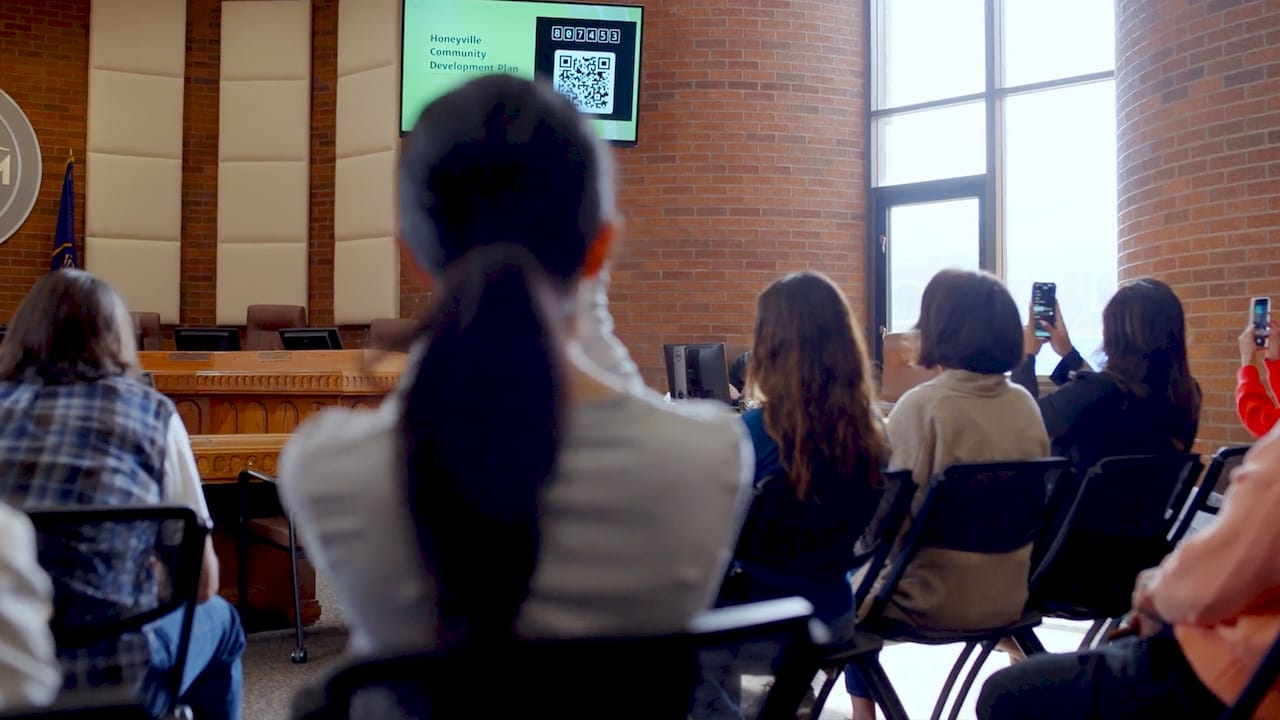
Your accessibility statement is the first promise you make to attendees who need accommodations. A strong one names a real contact person, lists available technologies like live captioning and CART, sets a clear request deadline, and uses plain language anyone can understand. No legal jargon. No WCAG code numbers. Just clear, welcoming instructions.
Here is what every effective event accessibility statement includes:
-
Contact person: A named individual with a direct phone number and email, not a generic inbox
-
Available accommodations: Live captions, CART, sign language interpretation, alternative formats
-
Request deadline: A specific date or notice period (the recommended notice period is at least seven working days)
-
Late request policy: State that late requests will be considered but cannot be guaranteed
-
Technology access instructions: How attendees will receive captions (QR code, app, screen)
-
Tone: Welcoming, plain, and free of technical acronyms
Pro Tip: Paste your draft statement into a readability checker. If it scores above a 10th-grade reading level, simplify it. Attendees should feel invited, not intimidated.
How to write ADA-compliant accessibility statements for events
Start with the W3C Web Accessibility Initiative principle: an accessibility statement is a tool for inclusion, not a legal formality. Write it for the attendee, not the attorney.
Follow these steps:
-
Name a specific contact. Designating a named, empowered contact person rather than a generic email builds trust and speeds up responses.
-
Set a clear deadline. Use a specific date or the recommended notice period of at least seven working days so attendees know exactly when to act.
-
Add an accommodation question to your registration form. Proactively asking about accessibility needs during registration improves logistics and reduces last-minute scrambles.
-
Describe what you offer. List actual technologies: live captions, CART, assisted listening devices, or a service like Live Caption AI.
-
Acknowledge late requests. Tell attendees you will try to accommodate late requests but cannot guarantee them.
-
Skip the jargon. Avoid WCAG success criteria numbers or ADA section codes in attendee-facing text.
-
Budget first. Accessibility costs belong in your event budget from day one, not as an afterthought.
Pro Tip: Use “please contact [Name] at [phone/email]” rather than “submit a request to the accessibility office.” The first feels like a conversation. The second feels like a bureaucratic hurdle.
Legal and operational considerations for event accessibility
The Americans with Disabilities Act requires event organizers to provide reasonable accommodations for attendees with disabilities. Failing to include an accessibility statement, or burying it in fine print, creates both legal exposure and real barriers for attendees.
Seven working days is the recommended notice period for auxiliary aids such as sign language interpreters and alternative-format materials, per California State University San Marcos guidance. Build that window into every event communication.
Key operational policies to establish:
-
Accept late accommodation requests when possible, but state clearly they cannot be guaranteed
-
Never charge attendees with disabilities extra fees for accommodations
-
Budget accessibility costs as core event expenses, not optional line items
-
Place your accessibility statement on every event touchpoint: registration forms, flyers, email invitations, and social media posts
-
Keep a record of all accommodation requests and how they were fulfilled
Some large-scale events accept CART requests up to two hours before a session starts, reflecting the varied accommodation windows that different event formats require. Know your lead times before you publish your statement.
Which technologies actually deliver on your accessibility commitments?
Your statement promises accommodations. The technology you choose determines whether you can keep that promise. Here are the main options:
-
CART (Communication Access Realtime Translation): A trained stenographer types speech in real time. Highly accurate, but expensive and requires advance booking.
-
AI-powered live captioning: Services like Live Caption AI use speech-to-text models trained on domain-specific terminology, catching industry language that generic tools miss. Attendees receive captions on any phone by scanning a QR code. No hardware. No stenographer.
-
Assisted listening devices (ALDs): FM or infrared systems that amplify audio directly to a hearing aid or receiver. Useful for hearing loss, but do not provide text.
-
Multilingual captioning: Live Caption AI supports multiple languages, so international attendees get the same access as English speakers.
-
Exportable transcripts: Post-event transcripts let attendees review content they may have missed.
Pro Tip: List the specific captioning technology in your accessibility statement. “Live captions available via QR code on your phone” tells attendees exactly what to expect and removes uncertainty before they arrive.
Understanding website accessibility principles also helps when you publish your event page, since the same plain-language and contact-clarity rules apply online.
How to communicate your accessibility statement to every attendee
Visibility matters as much as content. An accessibility statement buried in a PDF footer reaches almost no one.
-
Registration forms: Include both the statement and a dedicated question: “Do you require any accessibility accommodations? If yes, please describe.”
-
Email invitations: Place the statement in the body, not just the footer.
-
Event website: Link it from the homepage and every event page.
-
Social media posts: Add a short version with the contact name and deadline.
-
Printed flyers: Include the statement in a readable font size, not 6-point fine print.
-
Reminder emails: Send a reminder one week before the request deadline.
-
Confirmation emails: Repeat the contact details after registration so attendees have them on hand.
Prominent placement across all communications is not optional. Attendees who miss the statement miss the window to request help.
Real examples of well-crafted event accessibility statements
These templates follow best practices from university disability resources and the W3C Web Accessibility Initiative. Adapt the bracketed fields for your event.
General event (short form): Live captioning focus: Conference or multi-session event: Each example names a person, states what is available, gives a deadline, and acknowledges late requests. That is the complete formula.
Common mistakes that weaken accessibility statements for events
-
Generic email only: “Contact accessibility@organization.org” gives attendees no confidence that a real person will respond quickly.
-
No deadline: Without a specific date, attendees guess, and organizers scramble.
-
WCAG jargon: Citing “WCAG 2.2 Level AA Success Criterion 1.2.4” means nothing to most attendees.
-
Buried placement: A statement in a PDF appendix or website footer will not reach most attendees.
-
No late-request policy: Silence on late requests leaves attendees uncertain about whether to bother asking.
-
Charging for accommodations: Billing attendees with disabilities for captioning or interpretation violates ADA principles and erodes trust.
-
Outdated contact info: A phone number that rings to voicemail or an email that bounces destroys the entire statement’s credibility.
How to keep your accessibility statement current over time
An accessibility statement with a date older than one year signals to attendees, and to search engines, that it has been abandoned. The W3C WAI recommends reviewing and updating your statement at least annually.
Build a simple maintenance schedule:
-
After every event: Update the contact person if staff changed, and note any accommodation requests you could not fulfill.
-
Annually: Review available technologies, update deadlines, and confirm contact details are active.
-
When technology changes: If you switch captioning providers or add new assistive tools, update the statement before the next event.
-
When regulations change: ADA guidance evolves. Check for updates from the U.S. Department of Justice each year.
A living statement reflects a living commitment to inclusion.
Key Takeaways
An effective event accessibility statement names a real contact, lists available technologies, sets a clear deadline, and uses plain language throughout.
| Point | Details |
|---|---|
| Seven-day notice period | Request auxiliary aids at least seven working days before the event to secure them reliably. |
| Name a real contact | A specific person with direct contact details builds trust and speeds up accommodation responses. |
| List your captioning tech | State exactly what is available, such as live captions via QR code, so attendees know what to expect. |
| Budget accessibility as core | Accommodation costs belong in the event budget from the start and must never be charged to attendees. |
| Review statements annually | Update contact details, technologies, and deadlines after every event and at least once per year. |
Add live captioning to your next event

No hardware. No stenographer. Starting at $19.99 a month, it covers conferences, church services, legal proceedings, and more, with multilingual support and exportable transcripts built in.
Start your free trial and give every attendee the access they deserve.