September 17, 2026 · 11 min read
Venues: Start With Captions, Add a Loop When Telecoils Justify $2,000+
Use captions as your venue baseline. Compare $19.99/mo Live Caption AI with $250–$600/hr CART and $2,000–$8,000 loop installs, plus practical rollout tips.
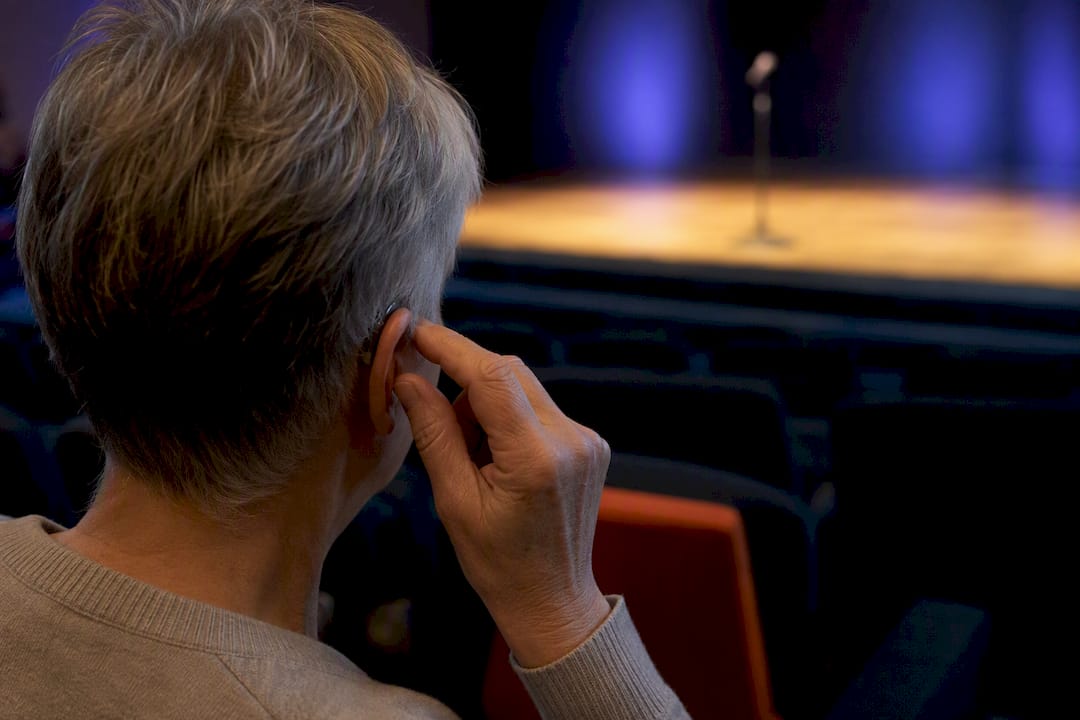
Start with captions. They cover the widest range of attendees, from telecoil users to ESL listeners to anyone watching remotely, and they deploy in minutes. Hearing loops and Auracast earn their place as a second layer once you know a meaningful share of your audience relies on telecoils or you’re planning a permanent venue upgrade. The right call depends on your audience mix, budget timeline, and how much confidentiality your setting demands.
TL;DR:
Hearing loops are most effective for telecoil users in fixed venues, but installation can cost between $2,000 and $8,000 and requires careful planning.
Captions are highly scalable and favored for diverse audiences and multilingual settings, with AI options costing as little as $19.99 per month.
Signal quality for loops depends on proper microphone setup and adherence to standards, with common issues arising from weak coverage and poor signage.
AI captioning is suitable for general use and large audiences but may lack accuracy for legal or medical settings that require certified transcripts.
Auracast, as a wireless alternative, works only on compatible devices and is best seen as a supplement rather than a replacement for traditional hearing loops.
Table of Contents
-
Hearing Loop vs Captions: A Decision Checklist for Your Venue
-
Live Caption AI: A Low-Cost Way to Cover the Caption Baseline
Hearing Loop vs Captions: How Each System Actually Works
A hearing loop runs a thin wire around a room and sends sound as a magnetic signal that a telecoil, built into most hearing aids and cochlear implants, picks up directly. No receiver to check out, no app to open. The user just switches their hearing aid to the “T” setting and the amplified, isolated audio arrives straight from the source microphone, cutting through room noise and echo.
Captions work differently. Speech gets converted to text, either by a human stenographer (CART) or by AI-powered speech-to-text, and displayed on a screen or a personal device like a phone. Auracast, a newer Bluetooth-based broadcast standard, offers a middle ground: it beams audio to Auracast-enabled hearables and phones without a physical loop or a dedicated receiver.
Each option serves a different slice of the room:
-
Telecoil and hearing-aid users get the clearest benefit from loops, since the signal bypasses ambient noise entirely.
-
Hard-of-hearing attendees without telecoils, ESL speakers, and cognitive listeners tend to do better with visible text they can read at their own pace.
-
Remote or virtual attendees have no access to a physical loop at all. Captions are their only option.
-
Auracast users get loop-like direct audio without hardware, but only on compatible devices, which are still rolling out. Experts frame Auracast as a complement to loops, not a replacement, since device compatibility is still catching up.
What Hearing Loops Deliver, and Where They Fall Short
A well-installed loop is close to invisible in daily use. Telecoil users walk in, flip a switch, and hear clean audio without borrowing a receiver or standing in a line. Properly maintained loops also last years without much intervention.
The tradeoffs show up during planning, not during the event. Retrofitting an existing space means running wire through walls or under flooring, and coverage has to be engineered carefully or the signal bleeds into the next room. Performance also depends on meeting the IEC 60118-4 standard for loop output, which is easy to get wrong with a DIY install.
-
Retrofit costs run roughly $2,000 for a 50-person meeting room up to $8,000 or more for larger venues.
-
Weak signal zones, receiver hygiene, and unclear signage are the most common complaints from loop users, according to advocacy groups tracking real-world usability issues.
-
Staff need training on the system, and signage has to tell people the loop exists and where coverage is strongest.
Pro Tip: A loop is only as good as the microphone feeding it. Test with a lavalier mic and a handheld before the actual event; a muffled or off-axis mic will wreck the signal no matter how well the loop itself was installed.
What Live Captions Deliver, and Where They Fall Short
Captions scale in a way loops can’t. One caption feed can serve a packed auditorium, a hybrid Zoom audience, and a handful of ESL attendees simultaneously, and modern AI captioning can translate that feed into multiple languages on the fly. Surveys back this up directly: captions are the accessibility tool most frequently requested, and many respondents say they’d choose captions first if they could only have one system.
Captions rank as the number-one requested accommodation among people with hearing loss, ahead of any single hardware solution.
The gap between AI captioning and human CART shows up in accuracy and record-keeping. AI models handle general conversation well but can stumble on dense jargon unless trained on it. CART stenographers produce a certified, verbatim transcript that some legal and medical settings require for the record.
-
Human CART typically runs $250 to $600 per hour, with remote CART for smaller groups closer to $300 per hour and a two-hour minimum.
-
AI captioning subscriptions can cost a fraction of that for ongoing use, though accuracy on specialized vocabulary varies by provider.
-
Captions are not a substitute for ASL interpretation for Deaf ASL users, since text and sign language serve different linguistic needs.
Hearing Loop vs Captions: What Each One Actually Costs
Budgeting for accessibility means comparing a one-time infrastructure spend against a recurring service cost, and the two don’t compete on the same timeline.
-
One-time loop installs land between $2,000 and $8,000+ depending on room size, plus occasional maintenance checks to keep the signal within IEC 60118-4 tolerances.
-
Per-event human CART costs $250 to $600 an hour, which adds up fast for organizations running weekly services or frequent events, but makes sense for a single high-stakes meeting needing a certified transcript.
-
AI captioning subscriptions replace that per-hour cost with a flat monthly fee, which tends to break even quickly for any organization holding more than a couple of events a month.
-
Auracast infrastructure is emerging as a potentially cheaper install than a traditional loop, since it skips the wire-in-the-floor requirement, though device compatibility is still limited.
Don’t forget the hidden line items: receiver checkout logistics and cleaning for loops and IR systems, caption display screens or projector time, and transcript storage if your setting requires records.
Hearing Loop vs Captions: A Decision Checklist for Your Venue
Walk through these before signing a contract or an install order.
-
Audience profile: How many attendees are known telecoil users? What languages does your audience speak?
-
Venue permanence: Is this a fixed sanctuary or auditorium, or a rotating rental space where a loop install doesn’t make sense?
-
AV staff capacity: Do you have someone who can run a soundcheck, manage a caption stream, and troubleshoot mid-event?
A few rules of thumb make the decision faster. If your regular audience includes a large telecoil-using population in a fixed seating layout, a loop is worth the retrofit cost. If your crowd is mixed, includes remote viewers, or speaks multiple languages, start with captions. If confidentiality is non-negotiable, favor infrared systems or a tightly engineered loop over anything broadcast openly.
Pro Tip: Run both a loop and a caption feed at your next major event, even informally, and ask attendees which one they actually used. That real feedback will tell you more about your specific audience than any general guideline.
How to Roll Out Captions or Loops on Event Day
-
Before the event: Confirm telecoil and Auracast device compatibility with your AV vendor, test your caption workflow (AI or CART), place QR codes or displays where they’re visible, and run a full soundcheck with every speaker who’ll use a mic.
-
During the event: Enforce mic etiquette (no passing the mic hand to hand without repositioning it), monitor the caption stream or loop signal continuously, and keep phones or spare receivers on hand as backup.
-
After the event: Collect feedback from attendees who used either system, archive transcripts if your setting requires a record, and schedule a debrief with your AV vendor before the next event.
The Real Failure Point Isn’t the Technology
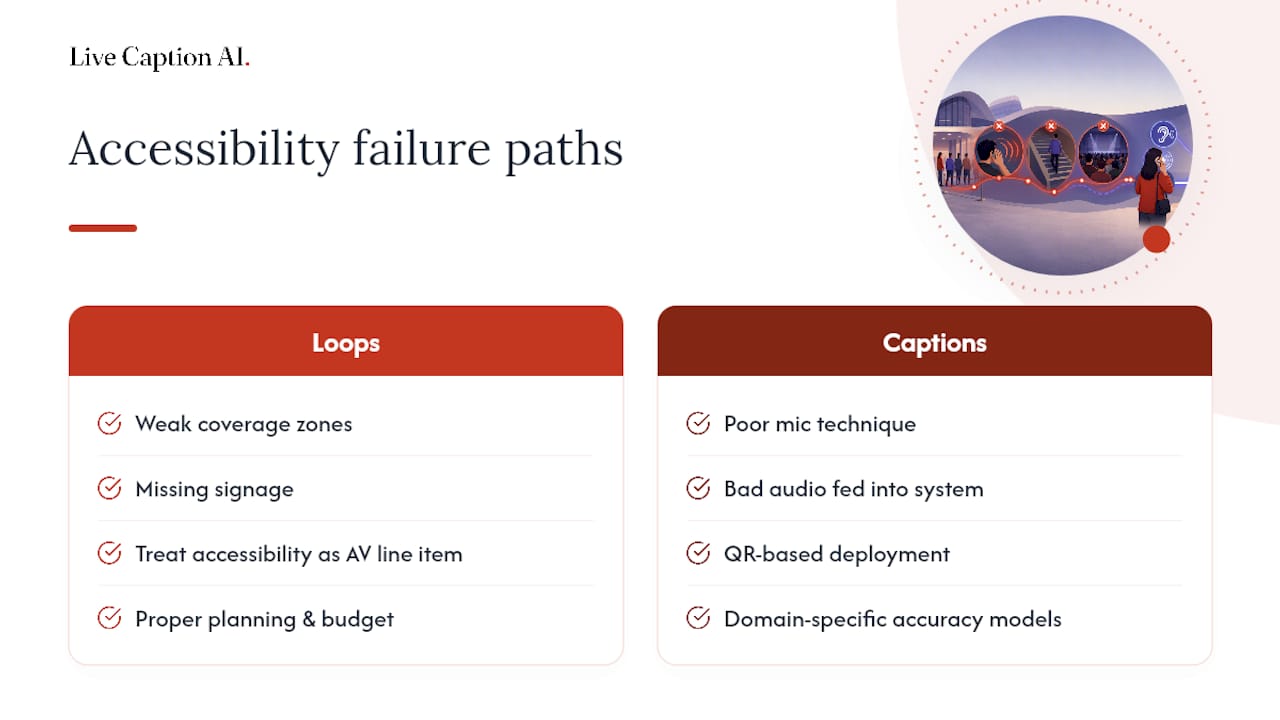
Most accessibility complaints trace back to planning, not hardware. Loops fail because of weak coverage zones and missing signage; captions fail because of poor mic technique feeding bad audio into a good system. Treating accessibility as a real AV line item, not an afterthought squeezed into the leftover budget, prevents both. QR-based deployment and domain-specific accuracy models can help make captioning easier to get right on the first try.
— Ryan
Live Caption AI: A Low-Cost Way to Cover the Caption Baseline
There are AI captioning solutions that serve as alternatives to stenographer contracts when fast captions without hardware are needed, letting attendees scan a QR code to receive live text with improved accuracy for specialized terminology.

Setup takes about five minutes, and session audio is never stored. for sensitive settings. Where a stenographer session can run hundreds of dollars, Live Caption AI’s Professional plan runs $19.99 a month with no surprise upsells, and a Free tier lets you try on-device captions before committing. Organizations running larger, multi-room deployments can look at the Business plan starting at $199 a month. If your events involve multiple languages, the auto-translate captioning guide walks through setup for multilingual audiences. Check current pricing and plans and get your next event captioned before it starts.
Where to Learn More
For deeper technical and cost detail, see communication access vendor pricing, assistive listening system guidance, and general web accessibility principles.
Sources
-
Help everyone hear in your community with assistive listening systems — Hearing Review
-
Hearing loops, captioning and the AV line item planners skip
FAQ
Can captions replace ASL interpreters at events?
No. Captions serve hard-of-hearing and hearing attendees who read text comfortably, but many Deaf ASL users rely on sign language as their first language, not English text. Interpreters and captions serve different needs, so offering both covers the widest range of attendees.
How much does a hearing loop cost compared to captions?
A loop retrofit typically runs $2,000 to $8,000 or more as a one-time install, while human CART captioning costs $250 to $600 per hour. Live Caption AI’s Professional plan costs $19.99 a month for ongoing AI captioning, which fits organizations that need frequent coverage without a recurring per-hour bill.
Are AI captions accurate enough for legal or medical meetings?
AI captioning has improved significantly for general speech, but some legal and medical settings still require a certified verbatim transcript from human CART. Vocabulary-tuned AI captioning like Live Caption AI closes much of that gap for terminology-heavy sessions without the certification requirement.
Do I need both a hearing loop and captions?
Most venues benefit from a layered approach: captions as the baseline for broad coverage, with a loop or Auracast added when a large share of your audience uses telecoils. Experts generally recommend maintaining loops while adding newer technology rather than treating one as a full replacement for the other.
Is Auracast better than a traditional hearing loop?
Auracast offers simpler installation and broader device compatibility since it skips the physical wire loop, but compatible hearables and phones are still becoming widespread. Most guidance treats Auracast as a complement to hearing loops, not an immediate replacement, especially for venues with existing loop infrastructure.