November 21, 2026 · 13 min read
Event Recording Consent: What Organizers Need to Do
Event recording consent in the US: one-party and all-party states, notice that works, minors, and how live captions and transcripts fit in. A plain guide.

If you record an event, the safe rule is simple: tell everyone before it starts, in writing and out loud, and treat the strictest state in the room as your standard. Federal law sets a floor of one-party consent. Many states go further. Notice at the door and a spoken announcement are the habits that cover you in both kinds of state.
This guide is for church staff, event organizers and AV teams. It explains how consent rules work, what notice looks like in practice, and where live captions and transcripts fit. With Live Caption AI, captions reach attendees’ phones through a QR code and session audio is never stored. That makes your consent routine shorter and easier to explain.
This is general information, not legal advice. If you run events in several states or record sensitive sessions, have an attorney review your notice wording.
TL;DR
- Federal law requires at least one participant’s consent to record a conversation. States can be stricter, and about 11 require all-party consent.
- If one attendee or remote participant is in an all-party state, get consent from everyone. That is the safest standard.
- Combine a posted sign, written notice in your invitation and a spoken announcement at the start.
- Take extra care with children and sensitive discussions. Get parental consent before publishing.
- Live Caption AI never stores session audio. Each session’s transcript is saved to the speaker’s account, readable only by the speaker, and the speaker can delete it from History.
Table of Contents
- What the law actually says
- Which state’s rules apply to your event
- Notice that holds up
- Public events, worship and audience questions
- Children and sensitive sessions
- Do captions, transcripts and translation change the answer?
- Retention: keep less
- Consent checklist for your next event
- Live captions without the hardware
- Our perspective
- FAQ
- Sources
What the law actually says
Federal law (the Wiretap Act, 18 U.S.C. §§ 2510–2511) requires the consent of at least one party to record in-person, telephone or electronic conversations. The Reporters Committee for Freedom of the Press describes this as the national minimum, and states may add stricter rules.
“One-party consent” means one person in the conversation, often the person recording, agrees. “All-party consent” means everyone in the conversation must agree.
The same guide lists the states that primarily require all-party consent: California, Delaware, Florida, Illinois, Maryland, Massachusetts, Michigan (at least for third-party recordings), Montana, New Hampshire, Pennsylvania and Washington. Some states split the rule by setting:
- Missouri and Oregon: all-party consent for in-person conversations, one-party for phone calls.
- Connecticut and Nevada: all-party consent for phone calls, one-party for in-person conversations.
One point trips up organizers. Even in a one-party state, the consenting person must be a participant. As Littler’s analysis puts it, an outsider cannot record without at least one participant’s consent.
Which state’s rules apply to your event
For an in-person event, the law of the state where the event happens is the starting point. Hybrid events are harder. If you stream or run a video call, people may be joining from other states.
Reed Smith’s guidance recommends that if even one participant in a multi-state meeting is in an all-party state, the organizer should obtain consent from everyone. For a church with online viewers or a conference with remote speakers, that is the practical answer. Build one consent routine and use it every time. Do not try to map every viewer’s location.
| Situation | Safer approach |
|---|---|
| In-person event in an all-party state | Written notice plus spoken announcement before recording |
| In-person event in a one-party state | Same routine anyway, because remote guests may be elsewhere |
| Hybrid or streamed event | Notice in the registration page and invitation, announcement at the start |
| Event with a guest speaker from out of state | Get the speaker’s agreement in advance, in writing |
Notice that holds up
Consent does not always have to be a signature. Several sources describe notice plus continued participation as the way consent is established.
- The Reporters Committee notes that recording is generally lawful when the device is in plain view, or when parties are warned and continue, because consent is presumed in those cases.
- Carnegie Mellon’s livestream consent guidelines describe two routes under Pennsylvania’s wiretap law: get every party’s consent, or give enough notice that no expectation of privacy remains, so staying counts as implied consent. They add that the host should give a second verbal notice at the very start, captured on the recording.
- The Archdiocese of New Orleans asks locations to post a prominent notice, with a sign of at least 8.5" x 11" when an event is video recorded and may be published online. If no notice was posted, it says not to publish recordings that show identifiable people.
A three-layer routine
- Before the event. Put a line in the registration page, invitation or bulletin: “This event will be recorded and may be shared online.” Name what is captured: audio, video, transcript.
- At the door. Post a sign at least letter size at each entrance and near any camera. Say what is recorded and where it may appear.
- At the start. Have the host announce it out loud. If you are recording, the announcement is captured too.
For speakers, add a short written release. Ask for it when you confirm the booking, not on the day.
Public events, worship and audience questions
Recording laws focus on private conversations, meaning those where people could reasonably expect not to be overheard. A talk delivered to a room is different from a whispered aside or a phone call. A church respondent in a Christian Reformed Church discussion said there is no reasonable expectation of privacy at a public worship service. The same church asks permission when a minor takes part and before sharing prayer requests.
That gives you a clear line:
- Stage content. Speakers, worship leaders and presenters: get notice and a release.
- Audience questions. Mics pick up attendees. Announce this and tell people they can pass on questions in writing instead.
- Small groups and private meetings. The New Orleans handbook says photos or video of people in private settings, such as small faith community meetings, need express written permission from everyone pictured before publishing.
- Prayer requests and counseling. Do not capture or publish them without permission.
Children and sensitive sessions
The ELCA’s guidance on recording and live streaming says a congregation should never post a child’s photo or video to a website or social media without parental consent. It suggests several fixes during children’s segments:
- Frame cameras away from children.
- Use a wide shot.
- Switch to audio-only.
- Designate “off-camera” areas so people can opt out.
It also warns that an unlisted YouTube link can be passed on by anyone who has it. Unlisted does not mean private.
For school events, Carnegie Mellon’s guidance notes that student privacy law (FERPA) may require consent before sharing student presentations later.
Do captions, transcripts and translation change the answer?
Yes and no. Consent law is written around recording and interception. Privacy law adds a second layer: what you do with the output.
Reed Smith says that under comprehensive privacy statutes such as California’s CCPA/CPRA, a voice recording and its transcript can both be personal data. That calls for a clear notice of what is captured, why, who can access it and how long it is kept. Faegre Drinker advises hosts to tell participants that an AI assistant is in use and what outputs it will produce. It also advises setting retention and deletion policies for recordings and AI-generated transcripts.
So the questions to answer in your notice are:
- Is audio stored?
- Is a transcript kept, and by whom?
- Who can read it?
- How can it be deleted?
- Is anything published?
The tool you choose decides how short those answers are. With Live Caption AI:
- Session audio is never stored.
- Every session’s transcript is saved automatically to the speaker’s account.
- Transcripts are readable only by the speaker.
- The speaker can delete a transcript from History.
See our guide to captioning privacy for what happens to speech and transcripts. If you publish transcripts afterward, our piece on AI event transcripts covers how to fix and share them.
Live Caption AI is an AI captioning tool. It is not a certified or human-reviewed service, and it does not by itself make an organization ADA-compliant. It can be part of an effective-communication plan. Attendees read captions on their own phones after scanning a QR code, with no app and no account.

A note on AI notetakers
The liability picture is moving for tools that join meetings as a separate bot and keep recordings. Recording Law’s CIPA guide reports that in August 2026 a federal judge let a California wiretap claim against an AI notetaker proceed. The theory was that the tool independently collects and uses recordings for its own purposes. Littler notes that federal statutory damages can reach the greater of $10,000 or $100 per day of violation. The takeaway for you: tell people about every tool in the room, and keep your own retention short.
Retention: keep less
Littler observes that an hour-long meeting produces about 16 single-spaced pages of transcript, so keeping everything forever creates a burden if records are ever requested. It recommends short retention periods with automatic deletion. A simple policy works:
- Decide which sessions you need a transcript for, such as sermons, keynotes and training.
- Export what you need to keep.
- Delete the rest.
Live Caption AI exports transcripts as TXT, SRT, JSON or PDF, and lets the speaker delete them from History.
Consent checklist for your next event
- Confirm the state where you are, and where speakers and remote attendees are.
- Use the all-party standard if any one of them is in an all-party state.
- Put recording notice in your registration page or bulletin.
- Post letter-size signs at entrances and near cameras.
- Announce at the start, out loud.
- Get written releases from speakers.
- Get parental consent before publishing anything with children.
- Mark off-camera seating.
- Write down your retention and deletion policy.
- Have an attorney review the wording if you operate in California, Florida, Illinois, Pennsylvania or another all-party state.
Live captions without the hardware
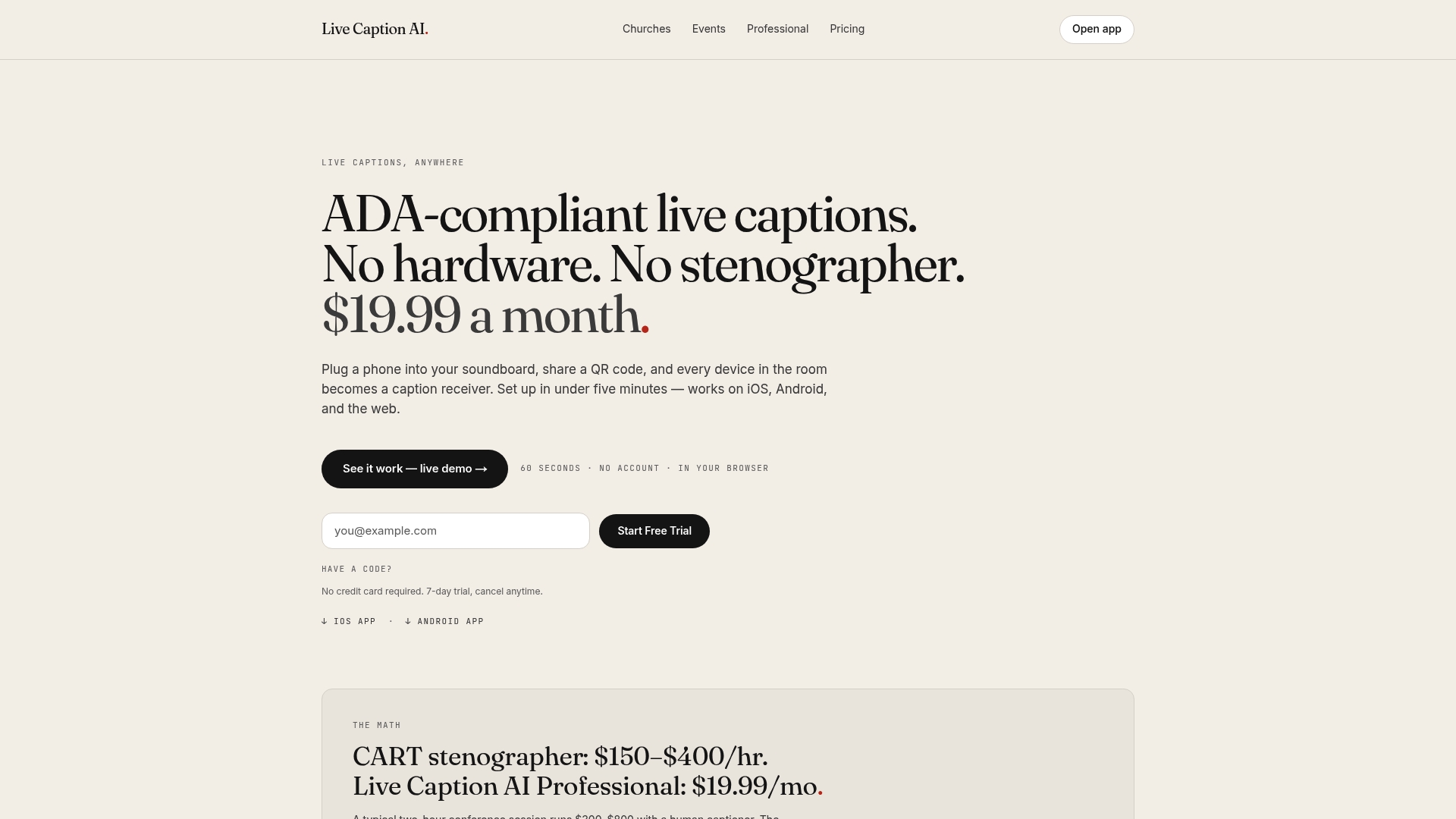
Human captioners and rented equipment add cost and another party in the room. Live Caption AI puts live captions on every phone in the room through a QR code. The speaker runs it on a phone or laptop. There is no hardware to rent and no stenographer to book.
For AV companies running multilingual events, the speaker picks one source language and one target language per session, from 34 languages. Viewers can switch between the original and the translation. For vocabulary, a Worship & Ministry model, a Medical model and a Finance & Earnings model are available, along with up to 100 Custom Terms. Type in names, places and terms before you go live.
The Professional plan is $19.99 a month, with unlimited captioning and summaries. Explore Live Caption AI to compare the plans.
If your event includes legal or clinical settings, read how cloud live transcription via QR fits an accessibility plan. Live Caption AI is not presented as suitable for courtroom or clinical use.
Our perspective
Most consent trouble starts with surprise. Someone finds out afterward that their voice was kept, shared or processed. We build around that.
Captions only need to appear while a person is speaking. That is why session audio is never stored. A transcript is saved to the speaker’s account and only the speaker can read it. The speaker can delete it from History when it is no longer needed.
We still tell organizers the same thing: say it at the door, say it from the stage, and write down what you keep. Captions help the people in the room who cannot hear well, who are learning English, or who simply prefer to read. A one-line announcement and a QR code on a slide cover both consent and access.
Ryan
FAQ
Do I have to tell people an event is being recorded?
In one-party states, a participant can generally record without telling others. In all-party states you need everyone’s consent. Telling everyone is the safest habit in every state, because remote guests may be elsewhere. Combine signage, written notice and a spoken announcement.
Is a sign enough?
A sign is strong evidence of notice. Sources such as Carnegie Mellon’s guidelines describe notice that removes the expectation of privacy as one route, and they add a spoken announcement captured on the recording. Use both, and get written consent from speakers.
Can I publish a recording or transcript afterward?
Publishing is a separate question from recording. Identifiable people and children call for extra care. The ELCA says never to post a child’s photo or video without parental consent. If you posted no notice, the New Orleans handbook says not to publish recordings of identifiable people.
Do live captions need consent too?
Captions are shown as the person speaks, but a transcript is saved if you keep one, and privacy law can treat transcripts as personal data. Include captions and transcripts in your notice. With Live Caption AI, session audio is never stored and the speaker controls the saved transcript.
Which states require all-party consent?
The Reporters Committee lists California, Delaware, Florida, Illinois, Maryland, Massachusetts, Michigan (at least for third-party recordings), Montana, New Hampshire, Pennsylvania and Washington. Rules differ for phone calls and in-person talk in some other states, so check your state before relying on a list.
Sources
- Introduction to the Reporter’s Recording Guide, Reporters Committee for Freedom of the Press
- The legality of AI-powered recording and transcription, Reed Smith
- AI Transcription and Note-Taking Technologies, Littler
- Littler analysis on retention, via Lexology
- Permission to Record: Considerations for AI Meeting Assistants, Faegre Drinker
- Consent to Publicly Livestream a Presentation, Carnegie Mellon University
- Location Website Content Guidelines, Archdiocese of New Orleans
- Guidance for Recording and Live Streaming, ELCA
- Livestreaming Worship and Privacy Concerns, CRC Network
- CIPA: California Invasion of Privacy Act Explained, Recording Law