August 22, 2026 · 19 min read
Accessibility for Conventions: A Planner's Action Guide
Ensure your convention meets accessibility standards with five key actions. From captioning to interpreter services, make inclusion a priority.
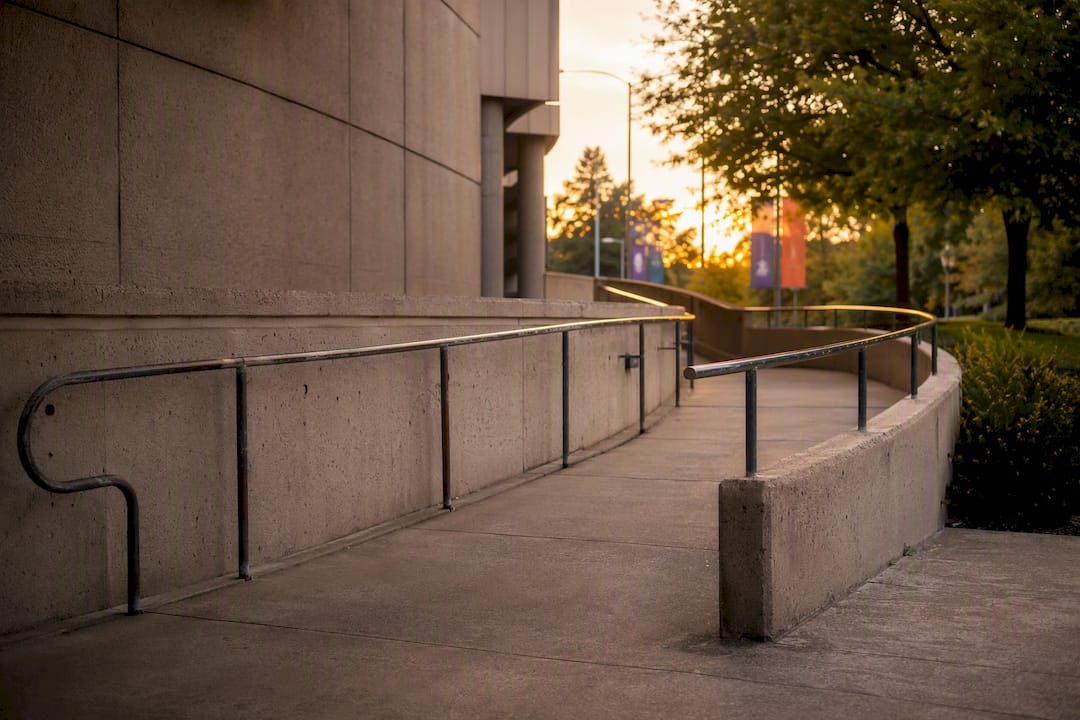
Five actions determine whether a convention is genuinely accessible: captioning every session, confirming accessible routes and seating, building a real accommodation-request workflow, distributing materials in advance, and arranging ASL or CART interpreters wherever attendees request them. Skip any one of these and you create a barrier that turns a paying attendee into a lost sponsor lead or a public complaint.
None of this happens by accident. Americans with Disabilities Act, WCAG 2.1 guidelines, and Section 508 standards for digital platforms give planners the framework, but the framework only works when someone actually builds the checklist, tests it with real users, and budgets for it months out. Tools like Live Caption AI can handle the captioning and device-delivery piece efficiently, but no software makes an event legally compliant on its own. That takes planning, documentation, and follow-through.
- Caption every general session and breakout, live and recorded
- Verify accessible routes, seating, and restrooms at the venue
- Build an accommodation-request field into registration, with follow-up
- Send slides, handouts, and scripts to attendees and interpreters in advance
- Book ASL interpreters or CART writers for any session where they’re requested
Quick fact: Accessible sessions tend to get reused and watched more, since captions and transcripts extend a session’s life well past the live date, benefiting attendees with disabilities and everyone who prefers to skim a transcript later.
Key Takeaways
Accessible conventions require captioning across every session, verified physical access, a documented accommodation workflow, and advance materials, with Live Caption AI covering the device-based captioning layer at scale.
| Point | Details |
|---|---|
| Caption every session | Cover breakout rooms and main stage alike, live and in recordings, not just the keynote. |
| Verify the venue in person | Walk routes, doors, and restrooms rather than trusting a floor plan or a sales call. |
| Document every accommodation request | Confirm, propose a solution, and record the agreement within 48 hours of the request. |
| Brief speakers before slide deadlines | High-contrast slides, alt text, and advance scripts prevent last-minute accessibility scrambles. |
| Use Live Caption AI for volume coverage | QR-based captions handle parallel breakout rooms for a monthly fee, paired with CART for high-stakes sessions. |
Table of Contents
- Accessibility for Conventions: A Phase-by-Phase Checklist
- What Physical-Site Accessibility Actually Requires
- Captioning, CART, and ASL: Matching the Method to the Session
- Making Virtual and Hybrid Sessions Work for Every Attendee
- How to Build an Accommodation Request Workflow
- What to Tell Speakers Before They Build a Single Slide
- Operationalizing Captions for Coverage and Engagement
- Getting Attendees to and Through the Venue
- Communication Access Beyond Captions and Interpreters
- Where ADA and Accessibility Standards Actually Apply
- Building a Feedback Loop That Actually Improves Next Year
- Live Caption AI Puts Captions on Every Attendee’s Phone
- Sources
Accessibility for Conventions: A Phase-by-Phase Checklist
Treat accessibility like AV or catering: something you plan for in the budget line, not something you patch together the week of the show. Break the work into three phases and assign an owner to each item.
Before the event
- Audit the venue for step-free routes, elevator access, door widths, and restroom accessibility. Don’t take the venue’s word for it. Walk it or send someone who will.
- Choose a hybrid or virtual platform that supports screen readers, keyboard navigation, and third-party caption integration, per Section 508 accessible meeting guidance.
- Add accommodation fields to registration so requests for ASL, CART, or mobility seating come in weeks, not days, before the event.
- Allocate a real budget line for captioning, interpreters, and CART. This is not a nice-to-have you cut when sponsorship falls short.
- Send speaker guidance early, including slide formatting rules and a request for advance copies of decks and scripts.
During the event
- Mark accessible seating clearly, near the front and with clean sightlines to interpreters and caption screens.
- Post QR codes on badges, session signage, and stage screens so attendees can pull live captions up on their own phones instantly.
- Staff an accessibility help desk near registration, with a named point person attendees can find fast.
- Run AV redundancy checks before doors open. A dead mic kills captioning and interpretation both.
- Designate a quiet room away from the main show floor, and post its location on the map and app.
After the event
- Publish captions and transcripts alongside recordings, not weeks later.
- Send a short accessibility feedback survey to registered attendees, separate from the general post-event survey.
- Log what broke, what worked, and what attendees flagged, so next year’s planning starts from real data instead of guesswork.
Pro Tip: Build your accessibility checklist into the same project management tool you use for AV and catering. When it lives in a separate spreadsheet nobody opens, it gets skipped.
What Physical-Site Accessibility Actually Requires
A venue that “looks accessible” on paper often fails in practice. The accessible entrance is around the back, past a loading dock, with no signage. The elevator serves the mezzanine but not the breakout rooms on the third floor. This is why a physical walkthrough beats a phone call with the venue’s sales team every time.
Start with the route attendees actually travel: from drop-off or the nearest accessible parking, through the lobby, into general sessions, and between breakout rooms. Every one of those transitions needs a step-free path, adequate door width, and functioning elevator access to every public floor. Rutgers’ event accessibility checklist recommends verifying this in person rather than relying on a floor plan, since architectural drawings rarely show where a fire door swings or where a rug edge creates a trip hazard.
Inside the room itself:
- Reserve companion seating and wheelchair spaces with clear sightlines to the stage, screen, and interpreter, not just an empty patch near the exit.
- Keep aisles wide enough for two wheelchairs or a wheelchair and a walking attendee to pass.
- Confirm emergency egress routes accommodate mobility devices, not just able-bodied foot traffic.
- Check restroom accessibility on every floor sessions run, not just near registration.
- If temporary ramps are needed for stage access or raised platforms, confirm slope and surface traction meet ADA specifications, not just “close enough.”
- Post the venue’s service-animal policy clearly and train staff on it.
- Plan food and beverage lines with accessible counter heights and enough space for someone in a wheelchair to move through without backing up the whole line.
None of this is exotic. It’s mostly a matter of someone checking before the doors open instead of after a complaint comes in.
Captioning, CART, and ASL: Matching the Method to the Session
Not every session needs the same communication access method, and treating them as interchangeable is where planners waste budget or leave gaps. Automated captioning works well as a baseline for general sessions and breakout rooms, especially when paired with a domain-tuned tool that recognizes technical vocabulary instead of mangling it. CART (Communication Access Realtime Translation) brings a trained stenographer producing verbatim, human-generated text, which matters for legal proceedings, medical content, or any session where a mistranscribed term carries real consequences. ASL interpretation is a separate service entirely, delivering the content in American Sign Language rather than text, and it’s what attendees who are Deaf or hard of hearing may specifically request regardless of whether captions are also present.
Generic automated captioning frequently mistranscribes jargon that a domain-tuned model or a human captioner would catch. For a keynote on consumer trends, that’s a minor annoyance. For a session on regulatory compliance or surgical technique, it’s a real accuracy problem. Reserve CART or qualified interpreters for exactly those higher-stakes rooms, and let device-based captioning cover the volume of breakout sessions where budget for a live stenographer in every room simply doesn’t exist.
Operational details matter as much as the method itself:
- Position caption screens where they don’t compete with slides, or better, let attendees pull captions to their own phones so they control font size and placement.
- Give interpreters a clean video feed and sightline to the stage, and seat them where attendees who need them can actually see both interpreter and speaker.
- Provide assistive listening devices or induction loops for attendees with hearing aids, and test them before the room fills.
- Publish session transcripts within a day or two, so anyone who missed a caption in the moment can catch it later.
Pro Tip: Always have a backup plan for captioning or interpreter outages. A hotel Wi-Fi drop or a sick interpreter shouldn’t mean a session runs with zero access. Book a floating interpreter for the day, and test your captioning tool’s offline fallback before doors open.
Making Virtual and Hybrid Sessions Work for Every Attendee
A hybrid session that fails for screen-reader users fails just as completely as a venue with no ramp. It’s just less visible, which makes it easier to overlook and harder to excuse.
Start platform selection with a short checklist: does it support screen readers and full keyboard navigation, does it offer a caption API or built-in captioning, and does it include a phone dial-in option for attendees with unreliable video connections? Section 508’s accessible meeting guidance puts screen-reader compatibility and keyboard navigation at the top of that list for good reason. A platform that looks polished but traps a screen-reader user in a menu loop is not a viable option, no matter how good its video quality is.
Materials matter as much as the platform. Distribute slides and handouts in accessible HTML or tagged Word documents rather than scanned or untagged PDFs, which most screen readers can’t parse properly. Caption every recorded video, and add audio descriptions where visual content carries meaning a caption alone won’t convey; learn more about The Role of Video in Event Coverage That Converts.
- Confirm the platform’s accessibility statement covers your actual use case, not just a general claim.
- Provide dial-in numbers for attendees without reliable broadband.
- Test breakout room accessibility separately. Main-stage settings don’t always carry over.
- Run a full technical rehearsal, AV plus captioning plus interpretation, for every hybrid session, not just the keynote.
Inviting attendees who use assistive technology to test the platform before the event catches problems no internal team will find on its own. A screen-reader user will hit a broken tab order in the first five minutes that your AV team could miss for weeks.
How to Build an Accommodation Request Workflow
The workflow starts at registration, not at check-in. Add discrete fields asking specifically about ASL interpretation, CART, wheelchair seating, dietary needs tied to medical conditions, and any other accommodation, alongside a contact field so your team can follow up directly rather than guessing at intent from a checkbox.
What happens after someone checks that box is where most events actually fail. Public entities are expected to provide reasonable accommodations unless doing so would fundamentally alter the event, and the interactive process that satisfies that standard means confirming the request, proposing a specific solution, documenting the agreement in writing, and giving a real timeline for delivery. That written record protects the attendee’s experience and the organizer’s position if a request goes sideways.
- Confirm every accommodation request within 48 hours, even if the answer is “we’re still arranging this.”
- Collect only the data you need to fulfill the request, and store it separately from marketing lists.
- Publish an accessibility statement that names a contact, explains how to request accommodations, states realistic timelines, and discloses any known venue limitations up front.
Pro Tip: State known limitations honestly in your accessibility statement, like a venue with no elevator to a specific mezzanine room. Attendees plan around disclosed limits far more easily than they forgive surprises discovered on-site.
What to Tell Speakers Before They Build a Single Slide
Most accessibility failures in individual sessions come down to a speaker who never got clear instructions, not a speaker who didn’t care. Fix that with a short, specific brief sent well before the deadline for slide submission.
- Slide design: use high-contrast color palettes, sans-serif fonts at readable sizes, no more than a handful of words per line, and descriptive alt text on every image or chart. Skip flashing or rapidly animated content entirely.
- Delivery: speak clearly and directly into the microphone, pause briefly for interpreter and caption lag, and describe any visual on screen out loud instead of assuming everyone can see it.
- Advance materials: submit slides and a script or detailed outline to organizers ahead of the session, so captioners and interpreters can prep for domain-specific terms instead of guessing in real time.
- Contracts and rehearsal: put accessibility expectations directly into the speaker agreement, and offer a short rehearsal window to sync timing with captioning or interpretation before the actual session.
Speakers who get this brief early rarely push back. Most simply never thought about it until someone asked.
Operationalizing Captions for Coverage and Engagement
For the volume problem, dozens of breakout rooms running in parallel, Live Caption AI gives planners a device-based way to caption every room without hiring a stenographer for each one. Attendees scan a QR code on their badge or the session signage and read live captions directly on their own phone, in one of 29 languages selected per session (one source language translating to one target language at a time, not several simultaneously).
- Domain-tuned recognition catches technical terminology that generic auto-captions often miss
- Sessions export as TXT, SRT, JSON, or PDF for reuse in recap content or marketing
- Pro plans cost a monthly fee well under the cost of stenographer coverage for parallel breakout tracks
- Audio is never stored, and transcripts remain owner-only
The engagement layer is where this gets more interesting than a compliance checkbox. Captions can carry up to three speaker links, a site, a book, a signup form, that stay live even after the session ends, turning a caption feed into a lead-capture channel. Speakers see a live concurrent viewer count during the session itself, useful real-time feedback, though that number isn’t retained afterward. Email capture is optional, and transcripts export cleanly for reuse as blog content or session recaps.
Reserve CART or a qualified human interpreter for legal, medical, or other high-stakes sessions where verbatim accuracy carries real consequences. Live Caption AI is not a substitute for that, and it doesn’t make an event ADA-compliant on its own. It’s a practical way to cover the volume of sessions where device-based captions solve a real coverage gap.
Getting Attendees to and Through the Venue
Accessibility starts before anyone reaches the registration desk. If the nearest accessible parking is a quarter mile from the entrance, or the shuttle from the overflow lot isn’t wheelchair-accessible, none of the in-room work matters.
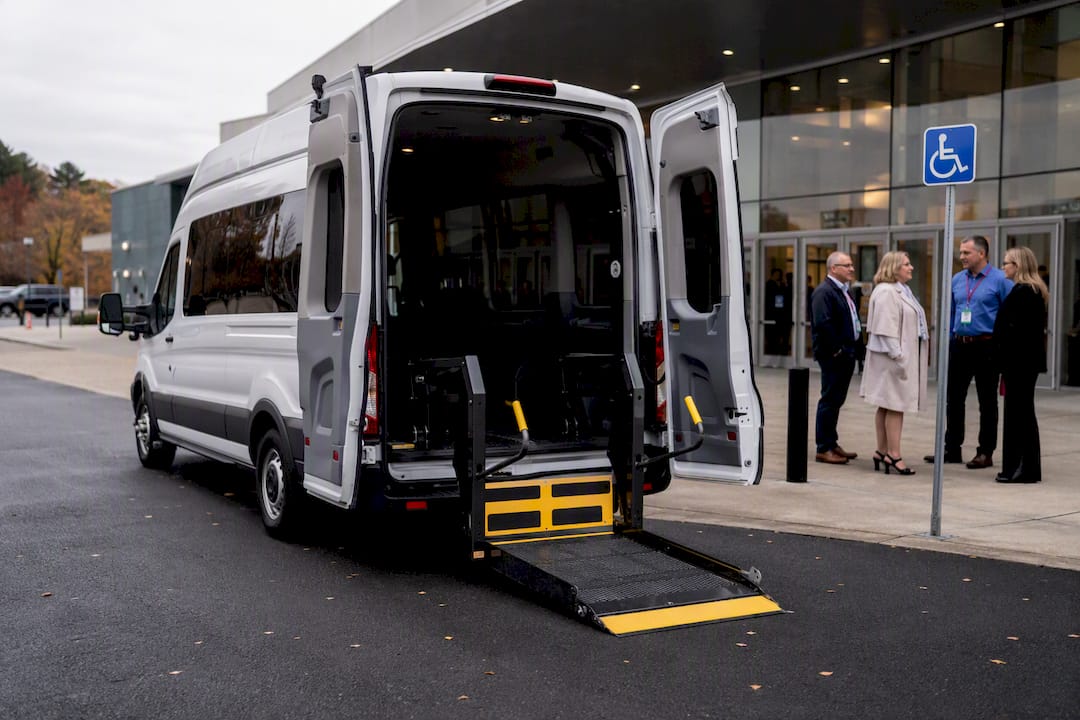
Confirm accessible parking spaces exist near every entrance attendees are likely to use, not just the main one, and check that van-accessible spots with the wider loading area are actually available, not just striped on the map. If your venue relies on shuttle service from satellite lots, verify at least one shuttle in rotation has a wheelchair lift and that drivers know how to use it.
For attendees arriving by rideshare or taxi, mark a clear, step-free drop-off zone close to the accessible entrance, and post that location in your pre-event communications and app, not just on a sign discovered on arrival. If public transit serves your venue, list the nearest accessible stop and the walking distance in your attendee guide.
Inside a convention center, distances between the parking structure and session rooms can stretch a quarter mile or more. Offer a shuttle or wheelchair-accessible cart between distant halls, and make sure your wayfinding signage marks the shortest step-free route, not just the shortest route overall. Attendees using mobility devices need to know the accessible path before they’re already committed to the wrong hallway.
Communication Access Beyond Captions and Interpreters
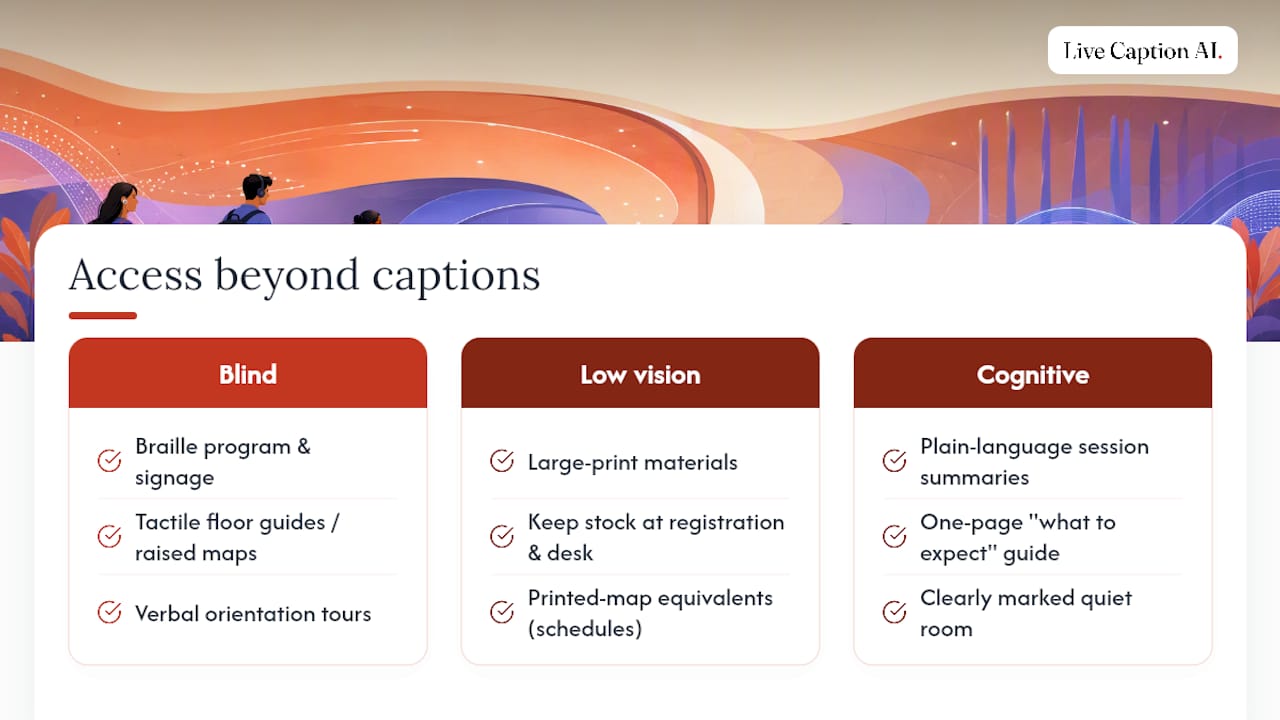
Captioning and ASL interpretation cover a lot of ground, but they don’t cover everyone. Attendees who are blind or have low vision need a different set of tools entirely, and treating captions as the whole accessibility strategy leaves that group out.
Braille versions of the program guide, session schedule, and any critical signage give blind attendees the same independent access sighted attendees get from a printed map. Tactile floor guides or raised-line maps near the entrance help attendees who use a white cane or guide dog orient themselves without needing to ask staff for directions at every turn. Some conventions also offer verbal orientation tours led by staff the morning of, walking new attendees through the layout before the halls fill with noise and crowd density that make navigation harder.
Large-print materials matter for the far larger group of attendees with low vision who don’t use braille at all. Keep a stock at registration and the accessibility desk rather than requiring advance requests only, since low-vision needs often surface on-site.
For attendees with cognitive or sensory processing differences, plain-language session summaries and a clearly marked quiet room do more than any single high-tech accommodation. A one-page “what to expect” guide describing crowd size, noise levels, and lighting in specific rooms helps attendees decide where they’ll need breaks, and it costs almost nothing to produce.
None of these replace captioning or interpretation. They fill the gaps those services were never designed to cover.
Where ADA and Accessibility Standards Actually Apply
The Americans with Disabilities Act governs public accommodations, and convention venues, along with the events held inside them, generally fall under that umbrella when they’re open to the public or a broad professional membership. That means accessible routes, seating, and restrooms aren’t optional extras. They’re baseline legal expectations, not aspirational goals.
Where it gets more specific is the standards planners actually build against. WCAG guidelines from the W3C set the technical bar for digital content, from your registration site to any recorded session you publish afterward. Section 508 governs digital accessibility specifically for platforms used by covered entities, and its guidance on accessible virtual meetings is worth following even for events that fall outside its direct legal scope, since the practical standard it sets is a solid one regardless.
None of these frameworks make a single vendor or captioning tool “the compliance solution.” Compliance comes from the combination of venue access, communication services, accommodation follow-through, and documentation, not from any one purchase. Planners who treat a captioning subscription or an accessible platform as the whole answer are the ones who get caught flat when a specific request falls outside what that one tool covers. Build the full checklist, and treat each vendor as one piece of it.
Building a Feedback Loop That Actually Improves Next Year
Most accessibility feedback dies in a spreadsheet nobody revisits. Fix that by treating feedback collection as its own workflow step, not an afterthought tacked onto the general post-event survey.
Send a short, specific accessibility survey to attendees who requested accommodations, separate from the general satisfaction survey everyone else gets. Ask direct questions: did the requested accommodation arrive on time, did it work as expected, and what would have made it better. General surveys bury this feedback under questions about the coffee and the Wi-Fi.
During the event itself, staff the accessibility help desk with someone empowered to log issues in real time, not just redirect complaints to someone else. A note like “elevator to third floor breakout rooms down for 40 minutes at 10am” is worth more to next year’s planning than any post-event survey response, because it captures the problem while it’s still fixable.
- Log every accommodation request and whether it was fulfilled on time
- Track specific complaints by category (venue, captioning, interpretation, materials) rather than lumping them into general feedback
- Review the log within two weeks of the event, while the details are still fresh for the team
- Carry unresolved issues forward into next year’s venue contract negotiations and vendor selection
That log becomes the single most useful document your team has going into the next event. It turns “we think accessibility went fine” into “here’s exactly what broke and what we’re fixing.”
Accessibility as engagement strategy, not just compliance
Most planners still treat accessibility as a legal checkbox handled by one overworked coordinator two weeks before doors open. That’s backwards. The events that get accessibility right start stakeholder conversations, with venues, AV vendors, and disabled attendees themselves, months earlier, and they treat every accommodation request as a chance to test something before it breaks in front of a crowd.
The upside goes past avoiding complaints. Captioned sessions get reused and referenced longer, recordings pull more views after the event, and sponsors notice when their session content keeps circulating. Accessibility work you do once pays out for months.
— Ryan
Live Caption AI Puts Captions on Every Attendee’s Phone
Live Caption AI is the practical alternative to renting stenographer coverage for every parallel breakout room at a convention. Instead of budgeting hundreds of dollars per session for a stenographer, organizers run captioning through a QR code that turns any attendee’s own phone into a caption receiver.

That means coverage scales across as many rooms as your event runs simultaneously, without the scheduling nightmare of booking a human captioner for every single track. Attendees choose their language from multiple supported options, speakers pick up live speaker links that stay active in the caption feed after the session ends, and organizers export a full transcript in TXT, SRT, JSON, or PDF format for recap content afterward. Audio is never stored, and the transcript stays owner-only.
Pair Live Caption AI with CART or a qualified interpreter for your legal or medical tracks, and let it handle the volume of general sessions and breakout rooms where device-based captions solve the real coverage gap. Start with the Live Caption AI free tier to test a session, no credit card required to sign up, and see how captions land on your attendees’ phones before your next event goes live.
Sources
- W3C WAI — Accessible Presentations
- Rutgers ODS — Creating Accessible and Inclusive Meetings or Events
- Section 508 — Accessible meetings
- Mass