August 25, 2026 · 10 min read
AI Conference Translation: Setup, Costs, and Accessibility
Discover how AI conference translation enhances multilingual accessibility with cost-effective solutions and fast deployment for your events.
AI conference translation is the right call for most events that need multilingual accessibility, and the approach that works is straightforward: live captions built on a single source language paired with a single target language per session. It’s cost-effective, ADA-friendly, and fast to deploy with a tool like Live Caption AI, priced on a low-cost monthly subscription plan. It’s not a substitute for certified human simultaneous interpretation in courtrooms, medical consent conversations, or high-stakes negotiations.
TL;DR:
Each session requires separate language pairs, meaning one session for English to Spanish and another for English to French; multi-language broadcasting from a single feed is not possible.
The setup is simple: use browser-based capture for in-room settings and verify microphone quality and routing before the event to ensure accurate translation.
AI translation accuracy depends heavily on microphone quality, speaker separation, and speech overlap, with latency exceeding two seconds becoming noticeable.
AI captioning is ideal for accessibility and large audiences with tight budgets, but certified interpreters remain necessary for high-stakes, legally sensitive, or medical settings.
Live Caption AI offers low-cost captioning with exportable transcripts, clickable links, and QR access, making it suitable for broad deployment and quick pilot testing.
Table of Contents
-
AI Translation vs. Booth Interpreters: What’s the Real Cost Difference?
-
Try AI Conference Translation Without the Booth-Interpreter Price Tag
How Does AI Conference Translation Actually Work?
The pipeline is simpler than most planners expect. A microphone captures the speaker’s audio, automatic speech recognition (ASR) converts it to text, machine translation (MT) converts that text into the target language, and the result appears as live captions on attendee devices. Some setups add translated audio, but captions remain the most reliable format for large rooms with mixed hardware.
One detail trips up a lot of first-time buyers: each session runs one source language to one target language. If your keynote is in English and half your audience needs Spanish, that’s one session. If the other half needs French, that’s a second, separate session. No tool broadcasts five languages simultaneously from one feed. Realtime translation guidance from developers building this infrastructure confirms this is the standard architecture, recommending a dedicated translation session per output language rather than one feed serving multiple languages at once.
What attendees actually get:
-
Live captions readable on any phone, tablet, or laptop, no app download required
-
Translated audio in some deployments, depending on the platform configuration
-
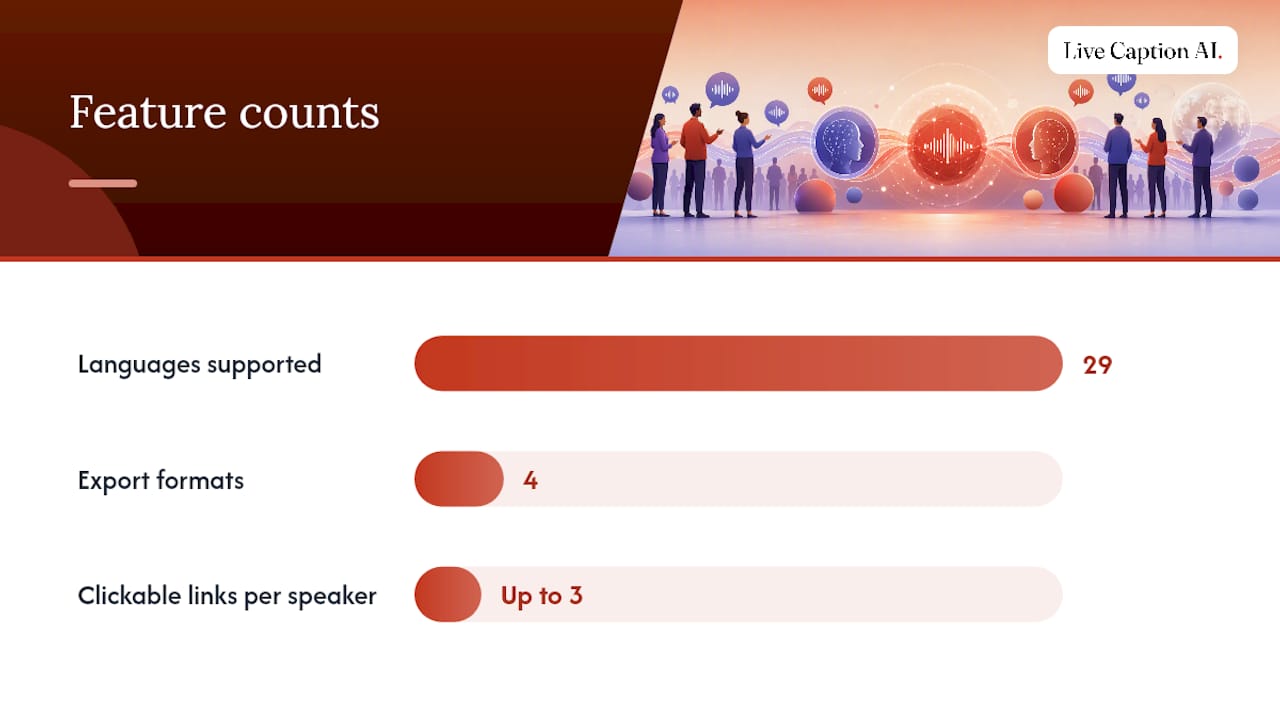
Exportable transcripts in TXT, SRT, JSON, and PDF formats for reuse after the event
-
QR code or link-based access, so onboarding takes seconds rather than a help-desk ticket
The QR code matters more than it sounds. Attendees scan, land on a browser page, and start reading captions immediately. No account creation, no app store detour, no IT support call mid-keynote.
Which Event Formats Benefit Most From This?
Not every conference needs the same setup. Matching the format to the deployment saves budget and prevents overbuilding.
-
In-person events: Personal-device captions via QR work for breakout sessions, while venue screens display stage captions for the main hall. Both can run from the same audio feed.
-
Hybrid conferences: Remote attendees often get a worse experience than in-room ones. AI captions close that gap by giving virtual viewers the same translated text as the people in the seats, delivered at the same time.
-
Virtual-only events: Run translation alongside your Zoom or Teams stream, or as a parallel captioned feed. Platform-native options exist too. Teams supports built-in language interpretation where organizers designate interpreters, though it’s gated by plan tier and unavailable in end-to-end encrypted meetings.
There’s a real distinction worth naming here: a keynote needing one-way captions for an audience is a different job than a working session needing two-way translation for every participant to negotiate or collaborate. Buyer’s guides in this category increasingly separate conference jobs this way, and it’s a useful filter before you sign anything. Interpreter-led services still make sense for the latter, or for legal and diplomatic settings where certified accuracy is non-negotiable.
What Does A Setup Checklist Look Like?
Getting this right on event day comes down to preparation, not luck. Here’s the sequence that avoids surprises.
Before the event:
-
Lock in your source and target language pair for each session; don’t try to decide on the fly
-
Test microphone routing through your actual AV board, not a laptop mic
-
Run the speaker through their material once at real pacing to catch terminology gaps
Live routing decisions:
-
Browser-based capture (WebRTC) works well for most in-person and hybrid setups; server-side ingest suits larger productions with dedicated AV teams
-
Realtime translation checklists recommend WebRTC for browser media and WebSockets for server media, which maps directly onto in-room versus centrally-managed event infrastructure
-
If you’re overlaying captions on a stage screen, most OBS or vMix setups can pull a caption feed as a lower-third or side panel
Attendee access:
-
Generate your QR code ahead of time and put it on badges, screens, and printed programs
-
Decide whether you want optional email capture turned on for lead generation
-
Brief your registration team on one line: “scan the code, pick your language, start reading”
After the event:
-
Export the transcript in whichever format your team needs, SRT for video captioning, PDF for a takeaway document, JSON if a developer is repurposing the content
-
Confirm who owns the transcript before you promise it to a sponsor or speaker
Pro Tip: Run your rehearsal with the exact microphone and room acoustics you’ll use live. A pilot session with mismatched audio conditions tells you almost nothing about how the real event will perform.
How Accurate Is AI Translation, and What Are the Limits?
Accuracy hinges on three things: microphone quality, how much speakers overlap or talk over each other, and how specialized the vocabulary is. A single, close-positioned mic with minimal crosstalk consistently outperforms a room mic picking up audience noise. Category analysis on this repeatedly points to audio quality and speaker separation as the biggest levers on translation quality, ahead of the underlying model itself.
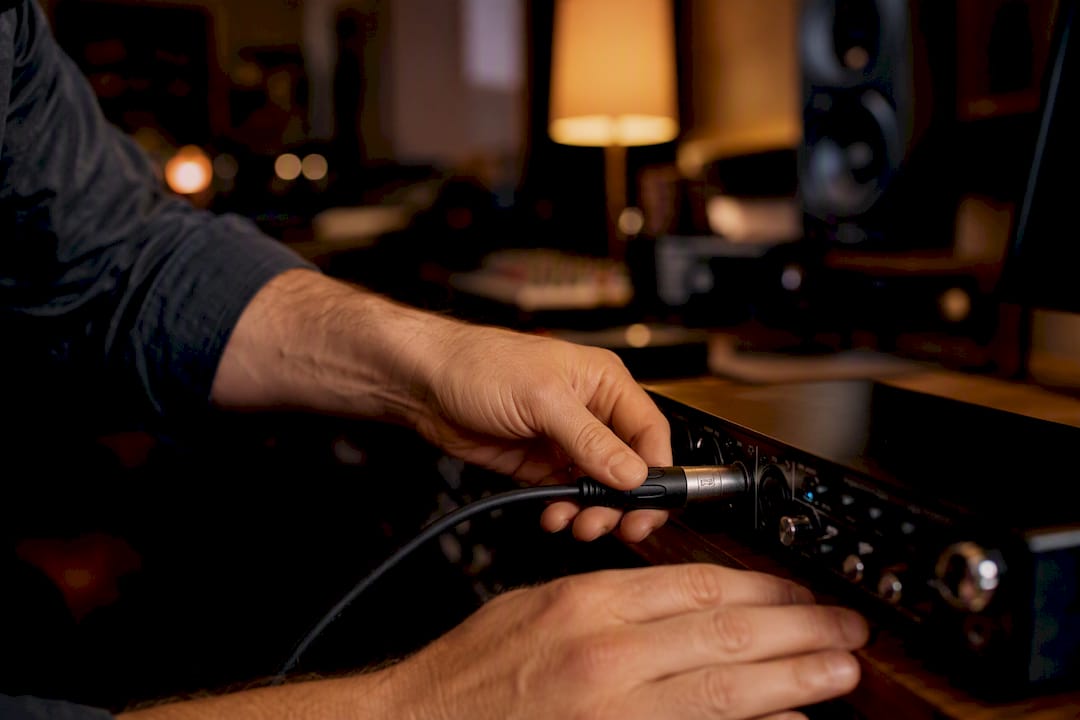
Latency matters too. A one or two second lag is barely noticeable to an attendee reading captions. Delays beyond that start to feel disconnected from the speaker’s mouth movements, especially on video.
Compliance deserves a straight answer, not a hedge:
-
Audio is never stored or retained after processing with Live Caption AI
-
Transcripts belong to the organization that ran the session, not the platform
For anything involving legally binding statements, medical consent, or courtroom proceedings, plan for a human interpreter or a post-event human review of the transcript. AI captioning handles accessibility and scale extremely well; it isn’t built for adjudicating nuance in a deposition.
AI Translation vs. Booth Interpreters: What’s the Real Cost Difference?
Booth interpreting means paying certified interpreters by the hour, often in pairs since simultaneous interpretation is exhausting work, plus travel, equipment rental, and booth setup. That adds up fast for multi-day conferences, and the cost barely changes whether ten people or a thousand people are listening.
AI captioning flips that math. A subscription like Live Caption AI’s subscription service serves unlimited devices at a flat monthly rate, so a bigger audience doesn’t mean a bigger bill.
-
Choose AI captioning when the goal is accessibility, broad reach, and cost control across many attendees
-
Choose certified interpreters when the event requires continuous, legally defensible simultaneous interpretation
-
Combine both for flagship sessions: interpreters on the main stage, AI captions for breakouts and overflow rooms
The scale advantage is the real story here. Interpreter costs climb with hours and headcount. AI captioning costs stay flat.
Where Live Caption AI Fits Into This Approach
There’s no app for attendees to install and no hardware to rent.
The feature set that matters for conference organizers:
-
Transcripts export in TXT, SRT, JSON, and PDF formats for reuse in marketing or recap content
-
Audio is never stored; transcripts remain owner-only
-
Pro plan pricing is substantially less expensive than a single day of booth interpreting
The engagement layer is what separates this from a plain captioning tool. Speakers can attach up to three clickable links to their live captions, a website, a book, a signup page, and those links stay active even after the session ends. During the live session, speakers see a real-time concurrent viewer count, giving instant feedback on engagement while they’re still on stage. Organizers can also turn on optional email capture, turning caption access into a lead-generation channel without extra software.
What’s the Fastest Way to Pilot This at Your Next Event?
Start by naming the actual job: accessibility for a broad audience, or true interpretation for a working session. Those are different problems. Once you know which one you’re solving, pilot a single session with Live Caption AI, measure latency and caption accuracy against your real room audio, then decide whether to scale it or layer in human interpreters for specific tracks.
Run the rehearsal with your actual mic and actual speaker before the live event, not a stand-in setup. That single step catches most of the problems that would otherwise surface in front of an audience.
— Ryan
Try AI Conference Translation Without the Booth-Interpreter Price Tag

Getting started takes three steps: sign up for a plan, run a rehearsal session with your real microphone and speaker, then export a transcript to see the format options firsthand. Attendees scan a QR code, read captions in the language pair you set, and can tap through to any speaker links you’ve attached, no app, no hardware rental, no per-seat interpreter fee. If your event involves multiple languages in a single meeting platform, it’s also worth reviewing how tools handle meeting-language configuration so your AV team isn’t guessing on setup day. For medical or legal conference tracks. Pro plans start at an affordable monthly price, with a free tier available after signup. Head to Live Caption AI to set up your first session.
Sources
For built-in options inside your existing meeting platform, Microsoft’s documentation on language interpretation in Teams covers setup steps and plan limitations. For teams building or evaluating custom integrations, the realtime translation developer guide lays out the session-per-language model and production checklist referenced throughout this piece.