September 19, 2026 · 10 min read
90 Day Caption Rollout for U.S. Churches: QR Codes and Mixer Line Out
A practical, low-cost 90 day plan for ADA in U.S. churches: route a mixer line-out, publish QR phone captions, and deploy AI captioning without a...
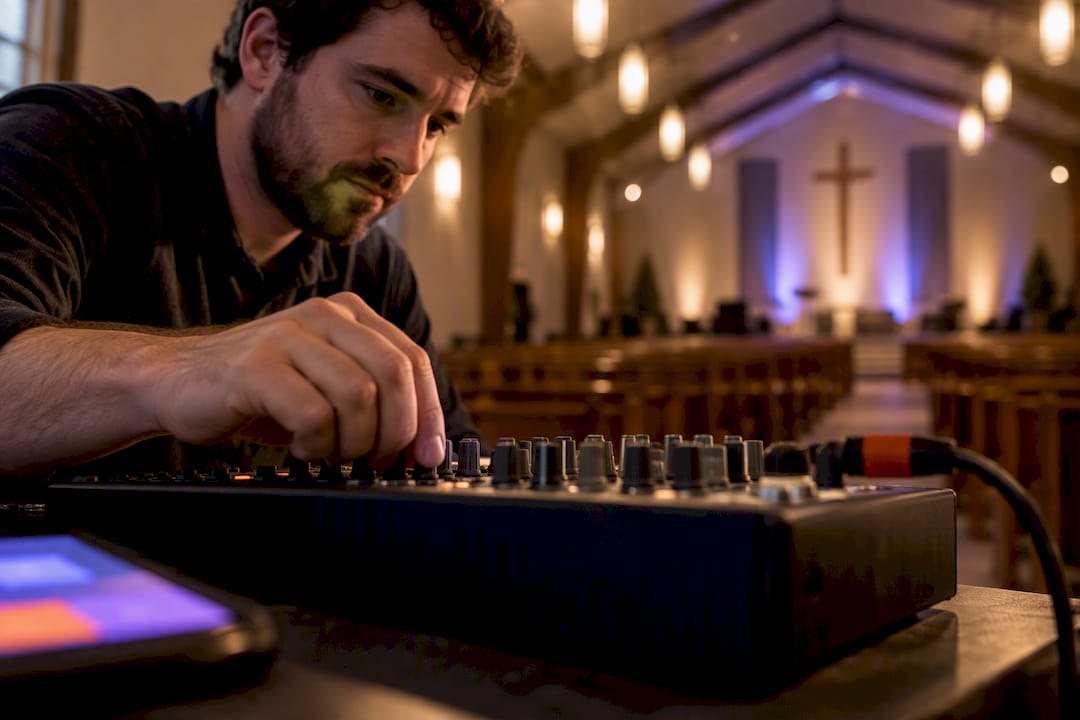
The fastest, most inclusive way to handle ADA for churches is a device-first live caption stream, delivered through QR codes to phones, paired with an in-room display and published transcripts. Route a clean audio feed into a caption engine, and you get accurate captions on screens and phones within seconds. AI-powered captioning makes this achievable weekly, at a fraction of what human CART services cost.
TL;DR:
Implementing a device-first live caption stream with QR codes can provide accurate, real-time captions at a fraction of the cost of human CART services, with latency ideally under 2.5 seconds.
Using a direct line-out from the sound mixer significantly reduces caption errors caused by echo, HVAC noise, and cross-talk compared to room microphones.
Cloud translation services enable quick addition of multiple languages, but churches should start with the most spoken languages and review transcripts with native speakers for accuracy.
A typical 90-day rollout begins with livestream captions, expands to in-room displays, then adds transcripts and translations, all while keeping setup simple and scalable.
Regular testing, clear workflow documentation, and volunteer training are essential to avoid technical failures and ensure effective captioning during services.
Table of Contents
-
Multilingual Captions and Translation: What Are the Tradeoffs?
-
What I’ve Learned Watching Church Rollouts Go Right (and Wrong)
Quick Setup Checklist for Your First Captioned Service
You don’t need a full AV overhaul to run captions this Sunday. You need five things done in order.
-
Route the audio. Pull a direct line-out from the mixer into a caption computer or a USB audio interface. Skip the room mic. It picks up echo, HVAC noise, and the guy three pews back who won’t stop coughing.
-
Pick your caption engine. Choose cloud or local processing, then upload a short glossary covering names, book titles, and phrases specific to your sermon series.
-
Build the viewer link. Generate a QR code or short URL, test it on two or three phone models, and confirm it also feeds your IMAG screens or livestream embed.
-
Set up guest Wi-Fi. An isolated VLAN, or at least a captive-portal-free guest network, keeps caption traffic moving without asking grandma to accept sixteen terms-of-service screens.
-
Write the operator steps. Start, pause or blank for prayer requests and baptisms, and export the transcript when the service ends.
Pro Tip: Run a full dry run on a Thursday night rehearsal, not five minutes before Sunday’s first service. Latency and Wi-Fi issues show up under load, not in a quiet sanctuary.
How Do Phone Caption Receivers Actually Work?
The signal path is simpler than most tech teams expect: soundboard to caption engine (local or cloud) to a broadcaster, which pushes text out to phones, the IMAG screen, and the livestream simultaneously.
Latency is the number that matters most. Aim for under 2.5 seconds from spoken word to displayed caption. Beyond that, congregants notice the lag between the pastor’s mouth and the text, and it becomes distracting rather than helpful.
-
Cloud engines scale easily and update fast, but audio leaves your building.
-
Local-first engines, like the approach shown in the open-source Church Cap project, keep audio on-site and work without internet, at the cost of more CPU and storage on your end.
-
QR or short-URL delivery beats app-based systems because it works on any smartphone browser. No download, no account, no friction for a first-time visitor trying to follow along.
Multilingual Captions and Translation: What Are the Tradeoffs?
You have two real paths for reaching non-English speakers in your congregation: translated text captions, or fully translated spoken audio through headsets or a secondary stream.
Text captions cost less bandwidth and setup time. Translated audio takes more infrastructure but serves congregants who can’t read while listening, particularly older members.
-
Cloud translation scales fast and adds languages with minimal setup.
-
On-premises translation protects privacy and works offline, but demands more compute power and manual configuration.
-
Start with the one or two languages your congregation actually speaks at home, not a wish list of ten.
-
Keep the English caption visible on the main screen even when you add a second language track, since many households are mixed-language.
-
Some languages need additional model downloads or paid translation credits, so check that before promising a rollout date.
Pro Tip: Ask your Spanish or Tagalog-speaking members to review your first translated transcript before you publish it. Domain-trained models are good, but a native speaker catches idiom errors a machine won’t.
What AV Changes Improve Caption Accuracy the Most?
One change matters more than any other: a direct line-out from the mixer. Room mics pick up reverberation, HVAC hum, and cross-talk, and every one of those inflates word-error rates on sermon-specific vocabulary.
-
Feed the glossary before service, not after. Names like “Nehemiah” or series titles like “Rooted” need to be entered into the caption engine ahead of time, or the system will guess.
-
Isolate the network. Separate caption and guest Wi-Fi traffic from your church management system and remove captive portals that block auto-connection.
-
Get the display right. Large font, high contrast, and a caption placement that doesn’t cover the pastor’s face on the IMAG screen.
-
Build a blank policy. Give your operator a one-button way to pause captions during prayer requests, baptisms, or anything a family didn’t consent to broadcasting in text form.
Accessibility tools see meaningful engagement when churches offer them, and a portion of your congregation will use captions the moment they know the option exists, even if they never asked for it.
What’s a Realistic 90-Day Rollout and Budget?
A staged rollout beats flipping every switch on week one. Start on the livestream, since it’s lower risk than in-room display, and expand once you trust the audio feed and latency.
-
Weeks 1 to 3: Livestream captions only, plus test QR viewers with a small volunteer group.
-
Weeks 4 to 8: Project captions in-room on the main screen for the full congregation.
-
Weeks 9 to 12: Publish transcripts from past services and add your first translated language.
Cost is where AI changes the math entirely. Human CART captioners often run into the hundreds of dollars per session, while AI-based tools run a low monthly cost that most congregations can absorb without a special fundraising line. That doesn’t mean CART disappears. Save it for high-stakes events, like a denomination-wide conference or a funeral for a public figure, and use AI captioning for the other 50 Sundays a year. Publishing captioned replays and transcripts also aligns with WCAG-friendly archive practices, which matters if your sermon library lives on your website long after the service ends.
Why Live Caption AI Fits This Setup
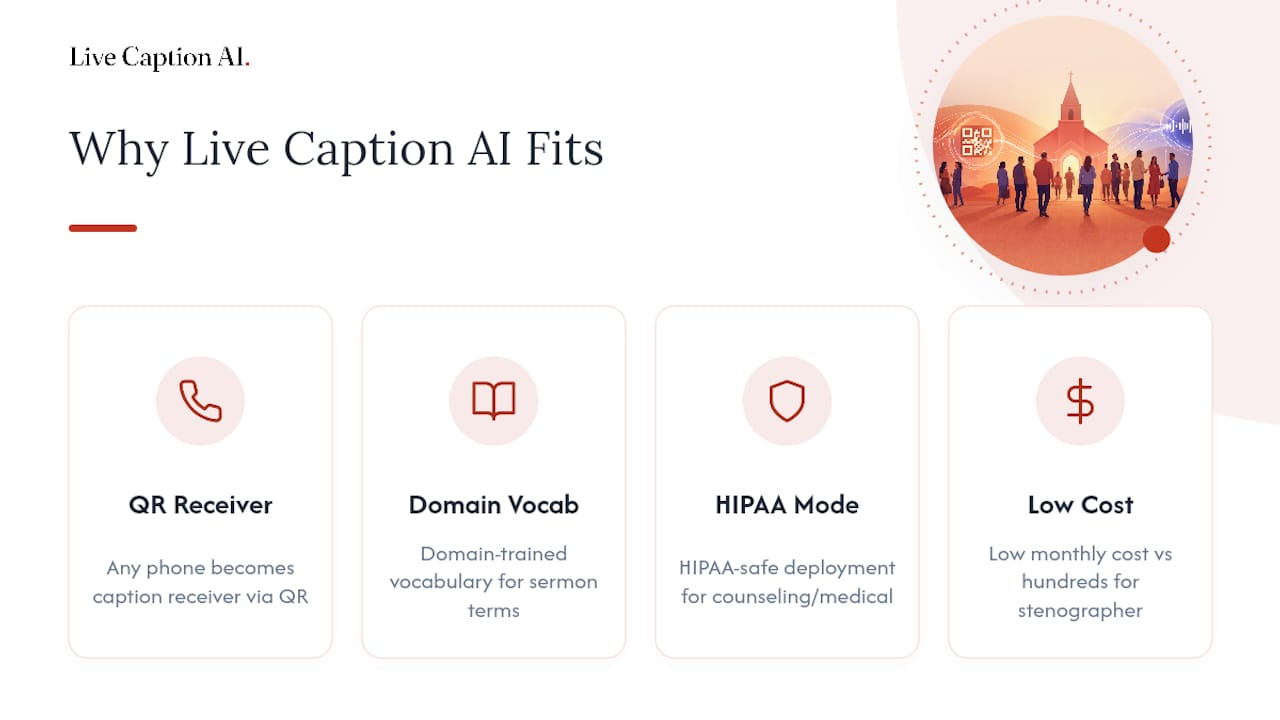
Live Caption AI builds directly toward the workflow above. The service turns any phone into a caption receiver through a QR code, applies domain-trained vocabulary so sermon terms and names land correctly. Session audio is never stored. Setup runs in minutes rather than a full AV project.
A typical captioned session can run at a low monthly cost, compared with hundreds of dollars for a single human stenographer session. The plan also supports unlimited device broadcasting and glossary uploads, so one configured session serves the sanctuary, the overflow room, and the livestream at once.
What I’ve Learned Watching Church Rollouts Go Right (and Wrong)
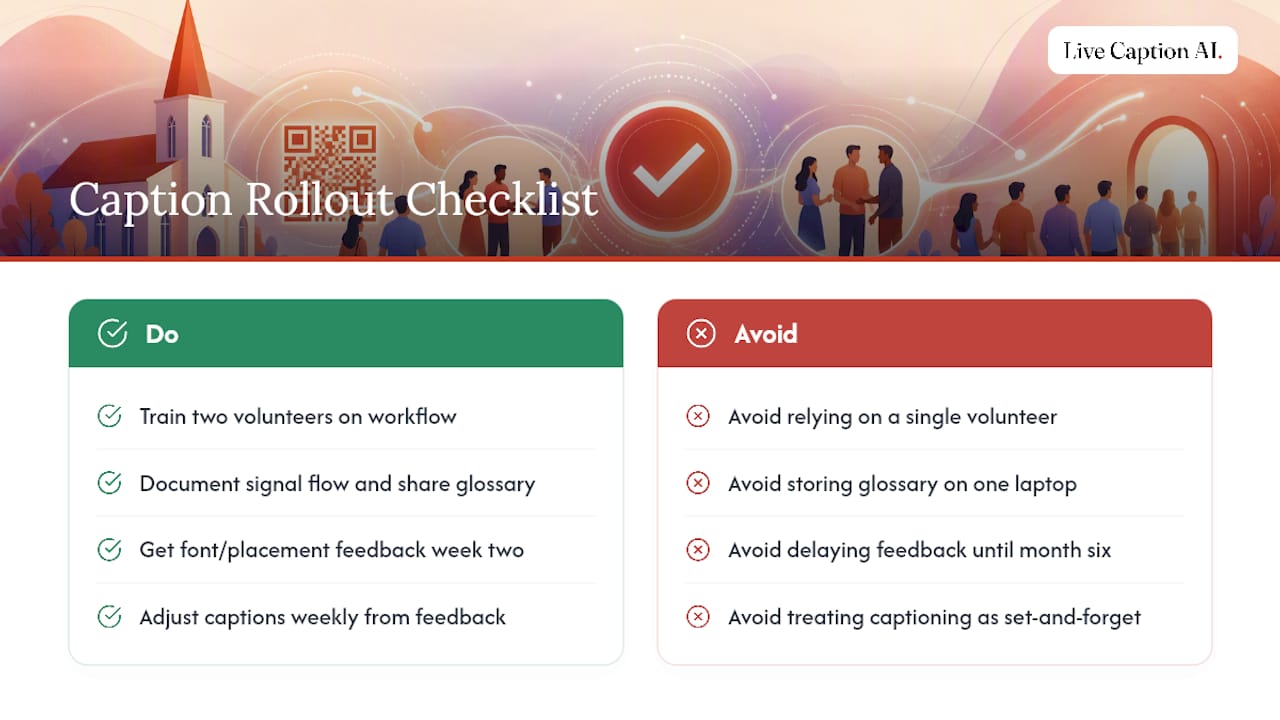
The technology rarely fails. The process around it does. Train two volunteers, not one, on the start, pause, and blank workflow, because the one person who knows how to run captions will eventually miss a Sunday.
Write down your signal flow and store your glossary entries somewhere the whole team can find them, not on one volunteer’s laptop. And ask for feedback on font size and caption placement in week two, not in month six. Small congregations that treat captioning as a living system, adjusted weekly based on what people actually say, end up with better accuracy than churches that spent more on hardware but never revisited the setup.
— Ryan
Try Live Caption AI for Your Next Service
Live Caption AI gives you a way to test this entire setup without committing to new hardware or a stenographer contract. Start with a single-service pilot: connect your mixer line-out, upload a short glossary of names and series titles, and generate a QR code for your congregation to test on their own phones.

If the audio feed and glossary handling work the way you expect, you’ll know within one Sunday whether this fits your church. Check the Live Caption AI pricing page to compare the Professional plan against a Business tier built for multi-campus or larger congregations, and see which fits your weekly service schedule.
Sources
For deeper technical grounding, review assistive-listening device guidance for worship spaces, the open-source Church Cap captioning project, and this web accessibility and SEO guide for publishing archived transcripts correctly.
-
Accessible ministry at any scale: how AI-powered captioning and translation are reaching more people
-
Live sermon transcription: real-time captions for Sunday services (2026 guide)
FAQ
How much does live captioning cost for a small church?
AI-based captioning tools typically run far less than human CART services, which often charge in the hundreds of dollars per session. Live Caption AI’s Professional plan is $19.99 per month, covering unlimited device broadcasting for regular services.
Do we need special hardware to caption our services?
No. A direct line-out from your existing soundboard into a laptop or USB audio interface is enough. Congregants view captions on their own phones through a QR code, and the same feed can project on your IMAG screen.
Should we use cloud or local captioning?
Cloud engines scale faster and need less setup, while local-first tools like Church Cap keep audio on-site for privacy but require more computing power. Most churches start with cloud captioning and revisit the decision once volume or privacy needs grow.
How long does it take to launch captions for our congregation?
A realistic rollout runs about 90 days: livestream captions in the first three weeks, in-room display by week eight, and published transcripts with translations by week twelve. A single-service pilot can be tested in under a week using a tool like Live Caption AI.
What about congregants who don’t have smartphones?
Pair your caption system with traditional assistive-listening hardware, such as hearing loops or newer Auracast transmitters, so members without personal devices still have an accessible option during the service.