July 21, 2026 · 8 min read
Best Trint Alternatives for Live Captioning in 2026
Discover the best Trint alternatives for live captioning in 2026. Explore top options like Otter.ai, Sonix, and Rev to meet your needs!

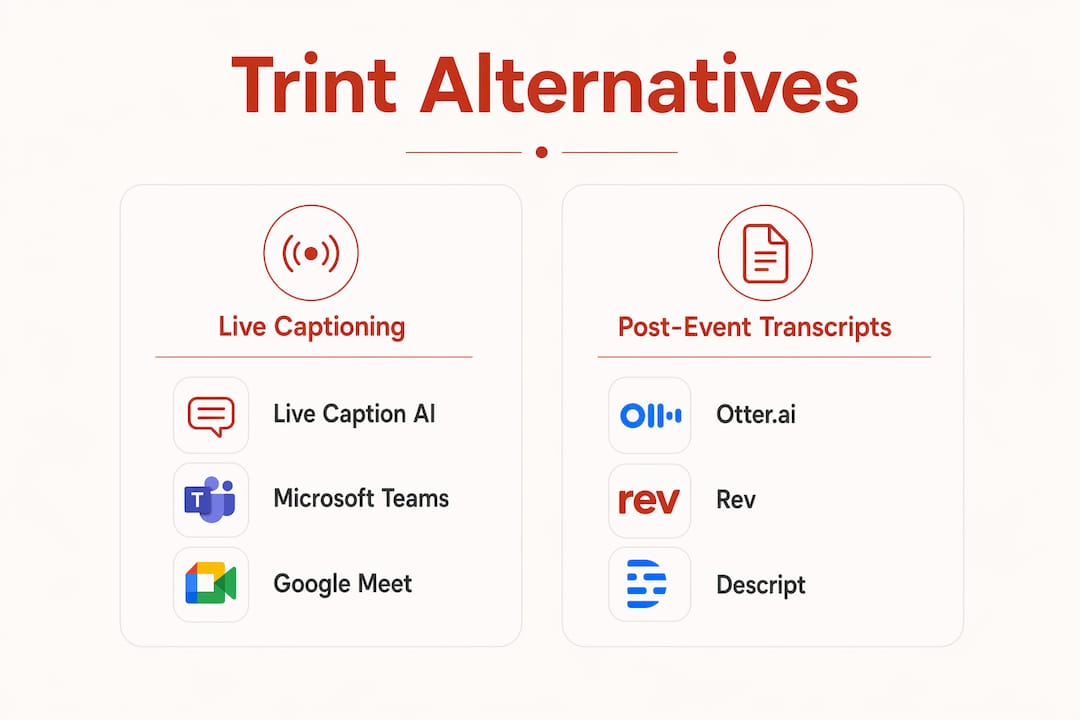
If you need live captioning for events, churches, medical settings, or legal proceedings, most Trint alternatives on the market fall into two camps: file-based transcription tools and real-time captioning platforms. Knowing which camp fits your workflow saves you money and compliance headaches. Here is a quick shortlist of the strongest options in 2026:
-
Otter.ai — Real-time meeting captions for Zoom, Google Meet, and Microsoft Teams; free tier covers 300 monthly minutes but lacks HIPAA compliance
-
Sonix — Per-hour pricing across 53+ languages with AI summaries; no seat fees, no live-event broadcast
-
HappyScribe — Hybrid AI and human transcription with SOC 2 Type 2 and GDPR compliance; subscriptions start around $9/month
-
Descript — Text-based audio and video editing for podcasters and content creators; not built for live events
-
Rev — Human-verified transcripts with a 99% accuracy guarantee; AI transcription at $0.25/minute, human-verified at $1.99/minute
-
Live Caption AI — ADA-focused live captioning via QR code to any phone; domain-specific accuracy for medical, financial, and event settings; starts at $19.99/month. Live Caption AI does not sign BAAs and does not hold SOC 2 certification, so it is not the right fit for sessions involving protected health information.
Table of Contents
What are the best Trint alternatives for professional settings?
Trint’s per-seat pricing can be relatively high per user monthly with file caps that reset monthly, making it a poor fit for event facilitators and small professional teams. The tools below solve different parts of that problem.
| Tool type | Best for | Pricing model | Live captioning | Human verification | Compliance |
|---|---|---|---|---|---|
| Live Caption AI | Real-time event, church, medical, financial accessibility. Domain-specific AI models for medical, worship, and finance vocabulary, plus custom terminology for other specialized terms | Starts at $19.99/month, flat monthly subscription | Yes, QR-code broadcast | No (domain-specific AI) | ADA-focused; no HIPAA/BAA |
| Live meeting captioner | Virtual meetings, team collaboration | Free tier + per-seat subscription | Yes, in-call only | No | No HIPAA |
| Multilingual AI transcription | Media teams, subtitle workflows | Per audio hour | No | No | SOC 2 (limited) |
| Hybrid AI + human transcription | Editorial, compliance-sensitive workflows | Subscription from ~$9/month | Limited | Yes | SOC 2 Type 2, GDPR |
| Human-verified transcription | Legal, medical, court-ready accuracy | Per minute ($0.25 AI / $1.99 human) | No | Yes, 99% accuracy | Strict confidentiality |
| Media editing platform | Podcast and video post-production | Subscription $19.99/month | No | No | None specified |
A few workflow differences worth knowing:
-
Live captioning vs. file transcription. Live event facilitators need real-time caption broadcast that file-upload tools simply cannot provide. If your audience reads captions during a session, not after, most transcription tools on this list will not work.
-
Human-in-the-loop accuracy. Hybrid platforms combining AI speed with human proofreading reach 99%+ accuracy, which is the threshold legal and medical workflows typically require.
-
Pricing model impact. Per-seat tools get expensive fast when you add staff. Per-hour tools like Sonix keep costs tied to audio volume, not headcount.
-
Trial access. Otter.ai offers a free tier, though it requires an account. Live Caption AI’s /demo runs in the browser with no signup. HappyScribe requires signup for its free trial. Some tools allow immediate guest upload with no account needed.
-
Integration. Otter.ai and HappyScribe both connect to Zoom, Google Meet, and Microsoft Teams. Live Caption AI works on any device via QR code, no conferencing platform required.
For teams evaluating real-time captioning software beyond meeting bots, the distinction between in-call captions and broadcast-to-device captions is critical.
How to choose the right transcription or captioning tool

Start with your actual workflow, not a feature checklist. The wrong tool costs you twice: once in subscription fees, once in compliance risk.
Ask these four questions first:
-
Do you need captions during a live event, or transcripts after a recording?
-
Does your setting require ADA, HIPAA, or SOC 2 compliance?
-
Are you transcribing alone or across a team with multiple seats?
-
How much audio volume do you process monthly?
Key selection criteria:
-
Live vs. post-event. If you run church services, conferences, or courtroom proceedings, you need a platform that broadcasts captions in real time. File-based tools are for post-production.
-
Compliance requirements. Medical and legal settings need a vendor that signs a BAA — ask directly, and confirm which plan tier it requires. SOC 2 Type 2, HIPAA, and GDPR certifications are the standard benchmarks for regulated workflows.
-
Budget and pricing model. Per-seat pricing scales poorly for small teams. Flat monthly subscriptions or per-hour billing give more predictable costs.
-
Accuracy threshold. General AI transcription typically hits 85–95% accuracy. For legal depositions or medical records, that gap matters. Human-verified services close it.
-
Domain-specific terminology. Generic speech-to-text engines miss specialized vocabulary. Medical, legal, and technical settings benefit from models trained on domain-specific language.
Pro Tip: Before signing a contract with any human-in-the-loop service for legal or medical use, ask for a sample transcript from your specific domain. Accuracy on general speech does not predict accuracy on cardiology notes or deposition testimony.
Pricing model math matters too. A per-seat tool at $80/month with three staff members costs $2,880/year before you add a single hour of audio. A flat-rate subscription at $19.99/month covers unlimited device broadcasts for the same period at a fraction of that cost. Run the numbers for your actual team size and volume before committing.
Trial versions and free tiers vary widely. Use them. A tool that feels clunky during a free trial will feel worse under pressure at a live event.
What makes Live Caption AI different from other options
Live Caption AI is built specifically for the use case most transcription tools ignore: live, in-room captioning for events, churches, medical education and staff training. No file upload. No meeting bot. No expensive hardware.
Core features:
-
Any phone becomes a caption receiver via a shared QR code. No app download required for attendees.
-
Unlimited device broadcasting on paid plans, so a room of 200 people can all read captions simultaneously.
-
Domain-specific AI models trained on medical, worship, and finance vocabulary, plus custom terminology for technical and other specialized terms.
-
Translation into 29 languages.
-
AI-powered summaries and exportable transcripts after each session.
-
ADA compliance built into the core product, not bolted on.
The cost comparison is straightforward. A live captioning session that would require a certified stenographer typically costs hundreds of dollars per event. Live Caption AI’s Professional plan starts at $19.99/month, covering ongoing sessions without per-event fees or seat charges.
Data handling: Session audio is never stored — it is streamed for recognition and not persisted. Transcripts are encrypted in transit, stored under row-level access control, and readable only by the session owner. Account deletion purges transcripts and account data.
For event organizers and facilitators, the QR-code delivery model removes the single biggest barrier to accessibility: getting captions onto attendees’ screens without dedicated hardware or technical setup. You plug in a microphone, share a QR code, and the room is captioned.
Key Takeaways
The right transcription or captioning tool depends on whether you need live broadcast captions or post-event transcripts, and whether your setting demands compliance certifications like ADA or HIPAA.
| Point | Details |
|---|---|
| Live vs. post-event | File transcription tools cannot replace real-time caption broadcast for live events, churches, or courtrooms. |
| Human verification matters | Hybrid AI and human services reach 99%+ accuracy, the threshold legal and medical workflows require. |
| Pricing model fit | Per-seat pricing scales poorly for small teams; flat monthly or per-hour billing keeps costs predictable. |
| Compliance is non-negotiable | ADA, HIPAA, and SOC 2 Type 2 certifications are required for medical, legal, and regulated professional settings. |
| Live Caption AI | Starts at $19.99/month with QR-code delivery and domain-specific AI. Session audio is never stored — it is streamed for recognition and not persisted. Transcripts are encrypted in transit, stored under row-level access control, and readable only by the session owner. Account deletion purges transcripts and account data. |
Live Caption AI fits where other tools fall short
Most of the tools in this article solve transcription. Live Caption AI solves accessibility. If you run events, lead church services, facilitate medical consultations, or manage financial proceedings, the gap between those two things is exactly where compliance risk lives.

No stenographer. No dedicated hardware. No per-seat pricing that punishes you for having a full room. You share a QR code, and every phone in the room becomes a caption display. Domain-specific models handle the terminology your setting actually uses, or technical conference content.
Live Caption AI’s plans start at $19.99/month with a 7-day free trial and no credit card required. Start your free trial and have your first session captioned today.