July 20, 2026 · 7 min read
Best Otter Alternatives for ADA-Compliant Live Captioning
Explore the best Otter alternatives for ADA-compliant live captioning. Ensure multilingual support, HIPAA compliance, and customization for your organization.

What are the best Otter alternatives for live captioning?
If your organization needs ADA-compliant live captioning and real-time translation, Otter.ai falls short in critical ways. Otter.ai supports only four languages, while leading alternatives cover between 40 and 140+ languages. That gap alone disqualifies it for most healthcare, legal, and church settings in the United States.
Here is what organizations in regulated environments actually need from a captioning tool:
-
Broad multilingual support (20+ languages minimum for diverse communities)
-
HIPAA, SOC 2, and GDPR compliance for medical and legal settings
-
Real-time captioning on any device, without expensive hardware
-
Customizable caption display for ADA accessibility requirements
-
Domain-specific accuracy for legal, medical, and technical terminology
-
Privacy-first data handling with no AI training on your content
-
CRM integration and action-item tracking for professional workflows
Live Caption AI addresses all of these needs directly. It delivers ADA-focused live captions via a simple QR code system, turning any phone into a caption receiver with no hardware required. Paid plans start at $19.99 per month, compared to the hundreds of dollars a single stenographer session typically costs.
How do Otter.ai and Live Caption AI compare for professional use?
Language support and compliance certifications are the two dimensions that matter most for regulated US organizations. Otter.ai’s four-language ceiling is a hard stop for multilingual congregations, international legal proceedings, or hospitals serving diverse patient populations.
| Feature | Otter.ai | Live Caption AI |
|---|---|---|
| Best for | Meeting transcription with CRM insights | ADA-compliant live captioning for events, medical, legal, churches |
| Language support | 4 languages (English, French, Spanish, Japanese) | Over 40 languages, including real-time translation |
| Limited; rolling out on higher-tier plans only | ||
| SOC 2 / GDPR | Privacy concerns; active class-action litigation | Privacy-first; no AI training on customer data |
| Live captioning method | OtterPilot meeting bot | QR code streaming, no bot, no hardware |
| Device compatibility | Desktop and mobile app | Any phone or device via QR code; unlimited broadcasting |
| Pricing | Free tier; paid plans not publicly listed | Free tier; Professional from $19.99/month |
| AI summaries | Yes | Yes, with exportable transcripts |
| CRM integration | Salesforce, HubSpot | Workflow-focused; exportable transcripts for downstream use |
| Domain-specific accuracy | General purpose | Specialized models for medical, legal, and technical terminology |
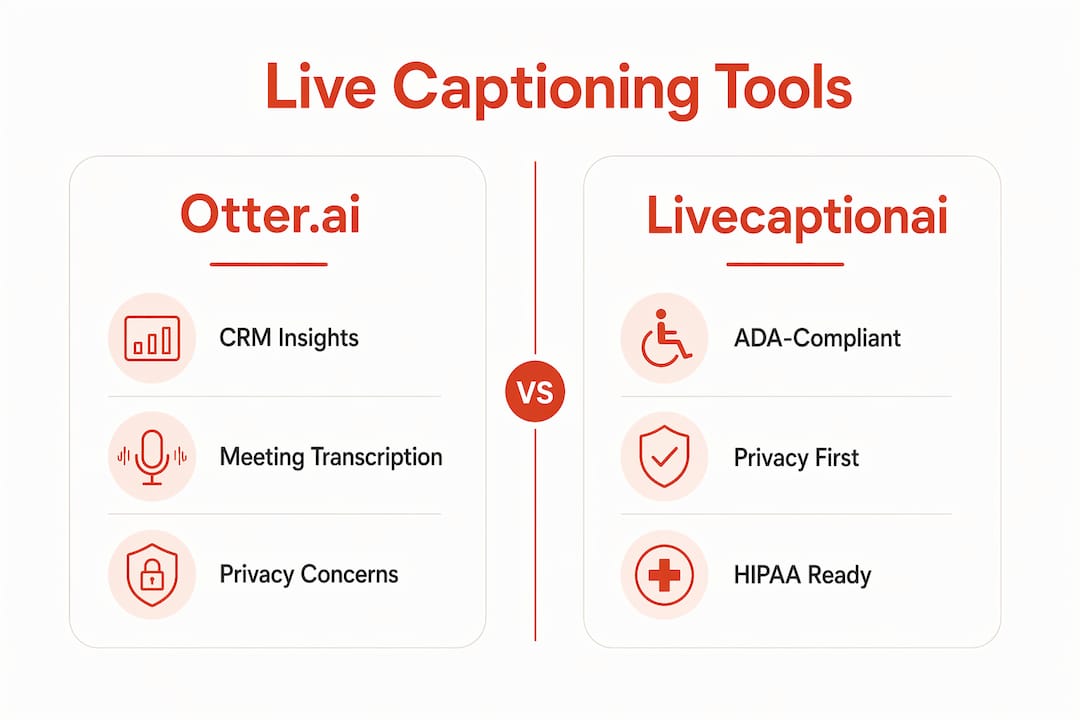
Otter.ai’s privacy record is a real concern for compliance-driven teams. The platform faces an active class-action lawsuit alleging it processes meeting data from non-users without consent, and it trains AI models on customer audio unless you manually opt out through buried account settings. For a hospital, law firm, or church handling sensitive conversations, that is not an acceptable risk.
Live Caption AI takes the opposite approach. No meeting bot joins your call. Processing happens without third-party cloud exposure in sensitive deployments, and the platform explicitly does not train on your content. That distinction matters in any environment where confidentiality is a legal requirement, not just a preference.

The transcription space has evolved well beyond simple note-taking. Modern organizations expect structured agendas, action tracking, and admin controls. Live Caption AI’s AI-powered summaries and exportable transcripts fit that expectation, while its QR code delivery model solves the hardware problem that blocks accessibility in churches, courtrooms, and event venues.
How to choose the right live captioning tool for your organization
The right tool depends entirely on your setting. A sales team and a hospital chapel have almost nothing in common when it comes to captioning requirements. Start with these criteria:
1. Language needs first. Count the languages your audience actually speaks. If you serve a multilingual congregation or a hospital with diverse patients, you need a platform that covers those languages in real time, not just in post-processing.
2. Verify compliance certifications. HIPAA is non-negotiable for medical settings. SOC 2 Type II matters for legal and enterprise environments. GDPR applies if any participants are EU-based. Confirm these certifications directly with the vendor before signing anything.
3. Audit the privacy policy carefully. Bot-free or on-device processing removes the risk of third-party access during sensitive meetings. Ask specifically whether the vendor trains AI models on your audio. If the answer is yes or unclear, that is a disqualifier for regulated environments.
4. Check device and platform compatibility. A courtroom cannot require every attendee to install an app. A church cannot deploy proprietary hardware at every pew. The best tools work on any device the audience already has.
5. Match pricing to your usage volume. Subscription pricing models can include hidden throttling on unlimited tiers. Confirm whether accuracy or processing speed degrades at high volume before committing to a plan.
6. Evaluate workflow integrations. Sales and customer success teams need CRM-connected platforms. Legal teams need exportable, court-ready transcripts. Match the integration to the downstream workflow, not just the meeting itself.
7. Test ADA accessibility features directly. Customizable font size, contrast, and caption positioning are not cosmetic. They determine whether your captions actually serve attendees with hearing loss. Ask for a live demo in your specific setting.
Pro Tip: For any setting where confidentiality is legally required, such as a medical consultation or a legal deposition, prioritize tools that offer on-device or bot-free processing. A platform that drops the meeting bot but still streams audio to its own cloud has not solved the privacy problem.
The AI-driven automation now embedded in captioning tools means your choice also shapes your broader workflow. Action-item tracking, AI summaries, and CRM sync are no longer premium add-ons. They are baseline expectations for professional teams.
Live Caption AI costs less and works where Otter.ai cannot
No hardware. No stenographer. No meeting bot showing up in your call.

Live Caption AI is the practical alternative to Otter.ai for organizations that need real accessibility, not just a transcript. Share a QR code, and every attendee can follow along in real time on their own phone. That works in a hospital waiting room, a church sanctuary, a courtroom, or a conference hall, with no IT setup and no per-device licensing fees.
The cost difference is concrete. A single stenographer session can be quite expensive. Live Caption AI offers a professional plan at a modest monthly price, covering unlimited device broadcasting and exportable transcripts. Domain-specific speech models capture the terminology that generic tools miss, whether that is medical diagnoses, legal citations, or denominational vocabulary.
AI-powered summaries and exportable transcripts fit directly into existing workflows. And because there is no bot and no third-party audio processing in sensitive deployments, your compliance team does not have to sign off on a new privacy risk.
Start a free trial at Live Caption AI and see it running in your setting. No credit card required.
Key Takeaways
| Point | Details |
|---|---|
| Otter.ai language limit | Otter.ai supports only four languages (English, French, Spanish, Japanese), disqualifying it for multilingual professional settings. |
| Compliance is non-negotiable | HIPAA, SOC 2, and GDPR certifications are decisive for medical, legal, and enterprise tool selection. |
| Privacy risk with bots | Otter.ai trains on customer audio by default and faces active class-action litigation over consent violations. |
| Cost advantage | Live Caption AI’s Professional plan starts at $19.99/month versus hundreds of dollars per stenographer session. |
| Live Caption AI’s fit |