July 27, 2026 · 11 min read
Fireflies Alternatives for Events, Churches & Pros
Discover top Fireflies alternatives for events, churches, and pros. Explore tools for live captions, translation, and effective meeting notes.

TL;DR:
- Live Caption AI provides ADA-focused captions with real-time translation and device broadcasting for in-person and virtual sessions. It supports multiple languages, and broadcasts captions to unlimited devices via QR code. Other tools are limited to scheduled calls, in-person capture, or higher costs, making Live Caption AI ideal for events, churches, and professional settings.
If your primary need is scheduled virtual meeting notes, several other tool categories are worth knowing.
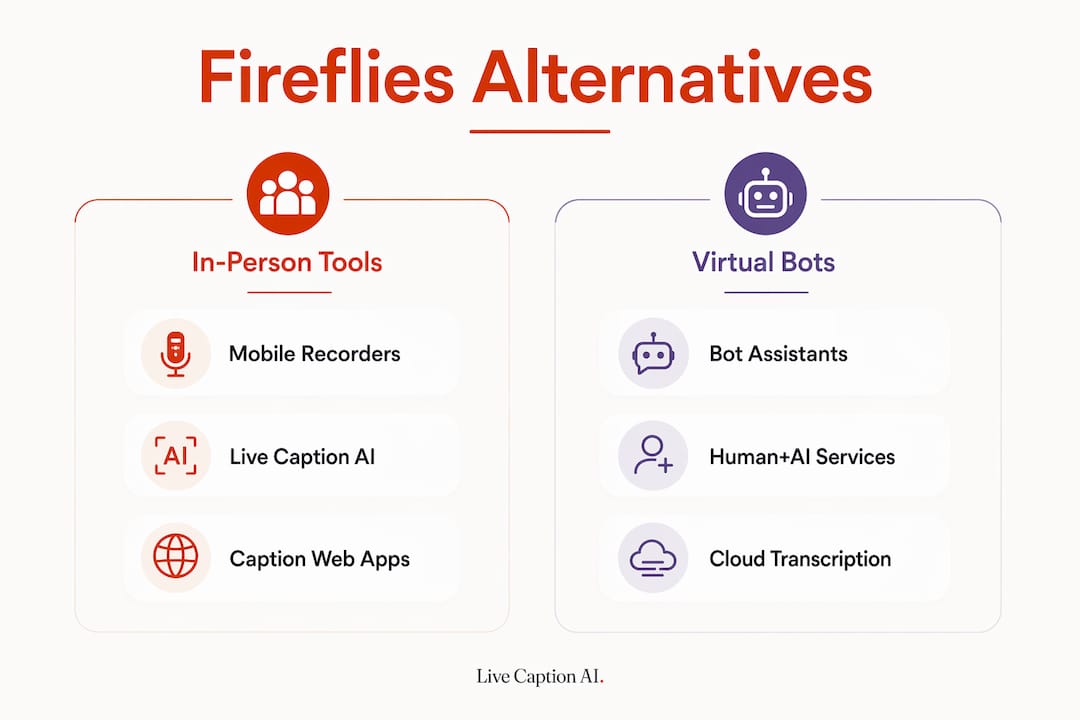
Quick alternatives by category:
-
Bot-based meeting assistants — best for scheduled video calls; not suited for in-person or phone capture
-
Mobile-first recorders — good for phone and face-to-face capture; limited translation and broadcasting
-
Hardware table recorders — extend capture to in-person rooms; pair with cloud transcription backends
-
Human+AI transcription services — highest accuracy; slower turnaround, higher cost
Live Caption AI fits this audience because it handles both in-person and virtual sessions, broadcasts captions to unlimited attendee devices via QR code, supports real-time translation across 29 languages, and offers secure on-device-only captions as an option.
Table of Contents
How do the main Fireflies alternatives compare?
No single tool wins every category. Selection depends on whether your gap is in-person capture, compliance, or integration depth. The table below maps the most relevant decision factors.
| Category | Best for | Free tier | Live/in-person + broadcasting | Real-time translation | Pilot difficulty | |
|---|---|---|---|---|---|---|
| Live Caption AI | Events, churches, medical, financial | Yes (on-device captions) | ✅ QR code viewer, unlimited devices | ✅ 29 languages | No | Minutes |
| Bot-based meeting assistants | Scheduled video calls | Yes (limited minutes) | ❌ Bot joins call only | Limited | Varies | Minutes |
| Mobile-first recorders | Phone + face-to-face capture | Yes (limited storage) | Partial (device only) | Rare | Rare | Minutes |
| Hardware table recorders | In-person rooms, interviews | No | ✅ Local capture | Rare | Rare | Hours/days |
| Human+AI transcription services | Legal, medical accuracy | No | ❌ Upload only | Some | Some | Days |
| Caption-only web apps | Simple live captions | Yes | Partial | ❌ | ❌ | Minutes |
Organizations with compliance requirements almost always need a paid plan.
What do each of these tool categories actually do?
Live Caption AI
You start a session, share a QR code, and attendees open captions on any phone or device — no app download required. The broadcaster selects the target translation language before the session begins. The tool supports recognition and real-time translation in multiple commonly used languages. In conversation mode. (web only), two participants speaking different languages can caption and translate back and forth in real time.
Domain-specific vocabulary models handle terminology that generic speech-to-text misses — useful for medical, legal, and worship settings. Paid plans start affordably, costing significantly less than a stenographer per session. Exportable transcripts and AI-powered summaries round out the post-session workflow.
Bot-based meeting assistants
These tools join your Zoom, Google Meet, or Teams call as a visible participant, then transcribe and summarize. Bot-based assistants are optimized for scheduled video calls and fall short when you need in-person or phone capture. Some attendees and clients block or reject bot participants, which creates friction in sensitive settings. Workflow automation is a strength here: the better tools push action items directly to Slack or project-management platforms, cutting 15–30 minutes of post-meeting admin in agile teams. Free tiers exist but cap recording minutes or AI summaries.

Strengths: calendar integration, action-item automation, CRM sync. Limitations: no in-person capture, visible bot can disrupt attendees, limited translation.
Mobile-first recorders
Mobile-first apps and hardware recorders provide the most reliable path for capturing phone calls and face-to-face conversations. They record locally on the device and sync to a cloud transcription backend. Setup is fast, but real-time translation and multi-device broadcasting are rarely included.
Strengths: offline capture, no bot, works for phone calls. Limitations: captions stay on the recorder’s screen; attendees cannot follow along on their own devices.
Human+AI transcription services
Upload an audio or video file and receive a polished transcript, sometimes with human review. Accuracy is the highest available, which matters for legal depositions or medical dictation. The trade-off is turnaround time — live captioning is not possible. Costs scale with audio length and human review tiers.
Caption-only web apps
Lightweight browser-based tools display live captions on a single screen. Useful for a single presenter who needs on-screen captions; not built for audience-wide accessibility.
Pro Tip: If you run a hybrid event where some attendees are remote and others are in the room, test whether your chosen tool can serve both groups simultaneously. Most bot-based assistants serve only the video call. Live Caption AI’s QR-code viewer works for both in-room and remote attendees at the same time.
How do you choose and pilot the right tool?
The single most important selection criterion is capture surface: where do your conversations actually happen? In-person rooms, phone calls, and live events require a fundamentally different tool than scheduled video calls.
Pilot checklist (run over 2 weeks with 3 representative sessions)
-
Transcription accuracy on domain terms — test your specific vocabulary (medical codes, liturgical terms, legal citations).
-
Live caption latency — captions should appear within 1–2 seconds for attendees to follow comfortably.
-
Translation quality — test the specific language pairs your audience needs.
-
Device broadcasting capacity — confirm unlimited or sufficient device connections for your largest event.
-
Attendee accessibility — can attendees open captions on their own phones without an app download?
-
Integration with calendar or streaming — does it connect to your existing workflow?
-
Data residency and BAA — confirm before handling any protected health or legal information.
Vendor questions to ask during your trial
-
Does capture require a bot, a local app, or a browser?
-
Can it work offline or in low-connectivity venues?
-
Which languages does it recognize and translate in real time?
-
Can you tune vocabulary for domain-specific terms?
-
Is a BAA available, and at which plan tier?
-
What are the SLA and support channels?
-
What export formats does it support?
-
How many devices can receive captions simultaneously?
Red flags to watch for
-
Bot-only capture when your sessions are in-person or on the phone
-
No BAA available for medical or legal use cases
-
Opaque data residency with no U.S. storage option
-
Hard device limits that cap how many attendees can follow captions
-
No support for the languages your audience speaks
Teams should pilot using their own real sessions, not vendor demos. Score each tool on accuracy, attendee experience, integration friction, and compliance readiness.
Pro Tip: Score each pilot session on a simple rubric: caption accuracy (1–5), translation quality (1–5), attendee ease of access (1–5), and post-session admin time saved (minutes). After three sessions, the scores tell you more than any feature checklist.
What privacy and compliance checks matter most?
Verify BAA availability, ADA captioning features, and explicit data-residency options before you start any pilot involving protected information.
Compliance checklist:
-
Written confirmation of the vendor’s HIPAA posture and exactly what the BAA covers.
-
Encryption in transit (TLS) and at rest
-
U.S. data residency option available
-
Retention and deletion policies documented
-
Admin controls and audit logs accessible
-
Caption styling and screen-reader compatibility for ADA
-
Unlimited or sufficient device broadcasting for your audience size
-
Domain-specific vocabulary models for your industry
-
Support for the languages your attendees speak
For churches and public events, ADA accessibility obligations make caption visibility, multi-language support, and unlimited device broadcasting procurement priorities, not optional add-ons. A tool that limits caption viewers to a single screen fails the accessibility test for a congregation of 200.
Enterprise-tier features — BAA, audit logs, and U.S. data residency — matter far more than feature checkboxes on a free plan. Evaluate compliance at the tier you will actually deploy.
Note: This checklist is general guidance, not legal advice. Consult qualified counsel before deploying any captioning or transcription tool in a healthcare or regulated environment.
Key Takeaways
Before any session involving protected health information, confirm your vendor signs a BAA — many live-captioning tools, including some recommended here, do not.
| Point | Details |
|---|---|
| Capture surface is the key criterion | Identify where conversations happen (in-person, phone, or video) before evaluating any tool. |
| Free tiers have real limits | |
| Pilot with real sessions | Test three representative sessions and score accuracy, translation, attendee access, and compliance. |
| Compliance before you go live | Confirm BAA availability, data residency, and ADA broadcasting capacity before handling any protected data. |
| Live Caption AI for events and churches | ADA-focused captions, QR-code device broadcasting, 29-language translation, and on-device-only options |
What makes Live Caption AI the right call for this audience?
The tools that dominate “Fireflies alternatives” roundups are built for one thing: scheduled video calls with a bot in the room. That works fine for a sales team’s weekly standup. It does not work for a Sunday service, a medical consultation, or a 500-person conference where attendees need captions on their own phones, in their own language, right now.
What I find most undervalued in procurement conversations is the broadcasting question. Most tools deliver captions to one screen. Live Caption AI delivers them to every device in the room simultaneously, with no app download and no per-device fee. For a church that serves a multilingual congregation, or an event organizer with ADA obligations, that distinction is the whole decision.
The compliance picture is also cleaner than most alternatives offer. Domain-specific vocabulary models in a single subscription is a combination that typically requires enterprise contracts elsewhere.
Live Caption AI: ADA-focused captions for events, churches, and professionals
Stenographers cost hundreds of dollars per session. Generic speech-to-text misses your domain terms. Bot-based assistants can’t serve an in-person audience. Live Caption AI solves all three.

Start a session, share a QR code, and every attendee follows live captions on their own device — in their language. The broadcaster selects the translation language before the session starts. Multiple languages supported. Domain-specific vocabulary models available.
Plans start at a competitive monthly rate. No hardware. No stenographer. No per-device fees.
Start your free trial and run the 2-week pilot with your own sessions. Need a BAA or enterprise terms? Contact the team directly through the site.
Sources and further reading
-
Fireflies AI alternatives worth considering — supports the position that no single tool is universally best; useful for building your non-negotiables list.
-
5 Best Fireflies.ai Alternatives in 2026 — covers bot vs. no-bot capture trade-offs and workflow-integration criteria.
-
Top Fireflies Alternatives for Meeting Notes — pilot checklist language, free-tier limitations, and post-meeting admin benchmarks.
-
7 best Fireflies.ai alternatives and competitors in 2026 — hardware and mobile-first capture category profiles.
-
Top 6 Fireflies.ai Alternatives — accessibility and ADA procurement priorities for churches and public events.