July 22, 2026 · 8 min read
Best Fathom Alternatives for Professional Live Captioning
Discover the best Fathom alternatives for live captioning. Explore tools that enhance real-time accuracy, ensure privacy, and meet compliance needs.
What are the top Fathom alternatives for live captioning?
The right Fathom alternative depends on what you actually need. If you run live events, church services, or compliance-sensitive sessions, generic meeting transcription tools often fall short. No single best option exists across every use case.
Here are the six alternatives worth your attention:
-
Convo — real-time in-call assistance; the only tool that surfaces suggestions while the conversation is still happening, offering real-time help and automation during calls for immediate team support
-
Fireflies — CRM automation and conversation analytics for sales-focused teams needing post-call logging
-
Avoma — mid-market sales team workflows with video recording and CRM integration
-
Granola — bot-free audio capture on Mac and Windows, preferred for privacy-sensitive client sessions
-
Read.ai — per-attendee engagement scoring and sentiment analysis for meeting intelligence beyond transcription
Table of Contents
How do Fathom alternatives compare for your specific needs?
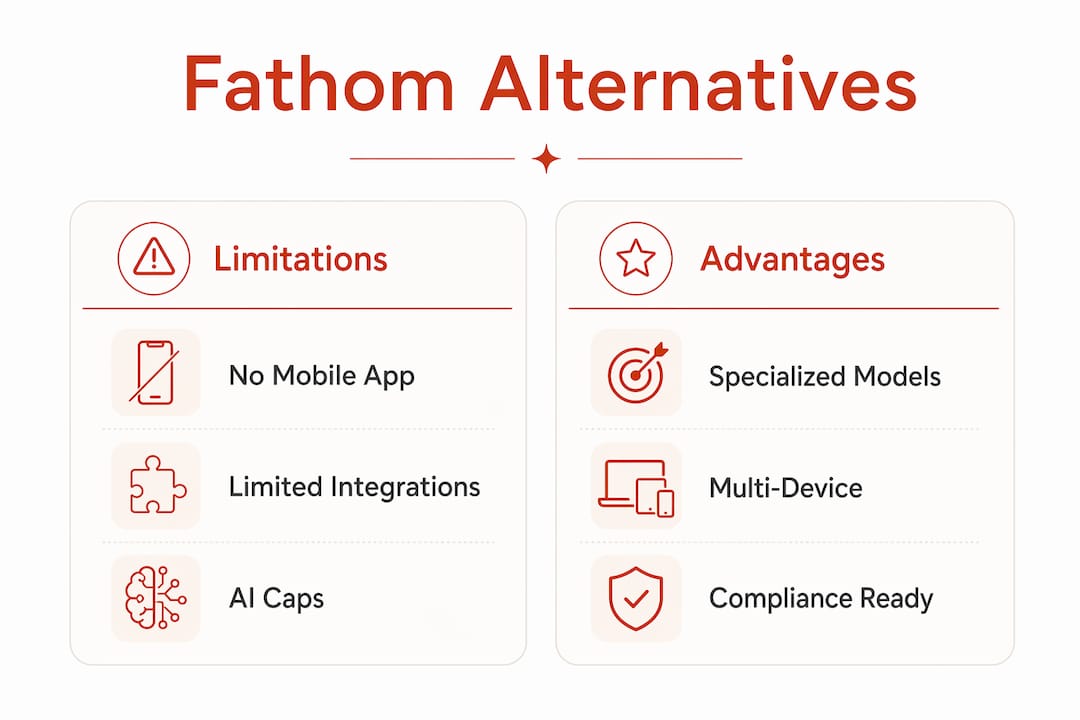
Fathom has real limits. It lacks a mobile app, offers constrained cross-platform integrations, and its free plan caps AI summaries at five per month. For teams running live events or working in regulated industries, those gaps matter fast.
| Tool | Best for | Real-time help | Bot-free | Privacy/compliance | Platform | Languages | Pricing |
|---|---|---|---|---|---|---|---|
| Live Caption AI | Events, churches, medical, legal | Yes (live captions) | Yes | Any device via QR | Multi-language | From $19.99/mo | |
| Convo | In-call coaching, sales | Yes | Yes | Standard | Zoom, Meet, Teams | Limited | From $19.99/mo |
| Fireflies | CRM automation, team pipelines | No | No | Standard | Zoom, Meet, Teams, Webex | — | — |
| Avoma | Mid-market sales teams | No | No | Standard | Zoom, Meet, Teams | Limited | From $19/user/mo |
| Granola | Bot-free Mac/Windows notes | No | Yes | Privacy-focused | Mac, Windows | Limited | — |
| Read.ai | Engagement analytics | Partial | No | Standard | Zoom, Meet, Teams | Limited | — |
A few distinctions worth calling out:
-
Real-time vs. post-call: Convo analyzes conversation every few seconds and delivers on-screen suggestions during the call. Every other tool here processes after the meeting ends. For live event captioning, you need captions delivered in the moment, not a summary later.
-
Bot presence: Visible bots cause client discomfort in sensitive sessions. Granola and Convo both capture audio locally without joining as a meeting participant. Live Caption AI sidesteps this entirely since it operates outside the video call environment.
-
Compliance: HIPAA BAA and SOC 2 Type II coverage are non-negotiable for healthcare and legal settings. Tools like Fellow offer HIPAA and SOC 2 Type II compliance that Fathom lacks.
-
Mobile and offline: Fathom cannot capture in-person conversations or phone calls. For live events, church services, or any session without a video call link, you need a tool built for that environment.
Pro Tip: If your sessions involve specialized terminology — medical diagnoses, legal citations, or denominational language — test any tool’s accuracy on a real sample before committing. Generic speech-to-text models routinely miss domain-specific vocabulary.
How to choose the right Fathom alternative for your service
Start with your deployment context, not your feature wishlist. The questions below narrow the field fast.
1. Is your session live and in-person, or virtual? Most Fathom competitors are built around Zoom, Google Meet, and Teams. If you caption church services, conferences, courtrooms, or medical consultations in a physical space, you need a tool designed for that environment. A meeting bot cannot help you there.

2. Do you have compliance requirements? HIPAA and ADA compliance are not optional in healthcare, legal, or public-facing accessibility work. Confirm whether the vendor offers a HIPAA Business Associate Agreement and whether their infrastructure meets ADA standards for real-time captioning delivery.
3. What terminology does your audience use? Generic AI models miss specialized vocabulary. Domain-specific speech models trained on legal, medical, or religious language produce meaningfully better accuracy. Ask vendors directly whether they support custom vocabulary or industry-specific models.
4. How many devices need to receive captions simultaneously? A single-device solution does not work for a congregation of 200 or a conference room of 50. Look for tools that broadcast to unlimited devices without requiring each attendee to install an app.
5. What is your budget per session or per month? Traditional CART (Communication Access Realtime Translation) stenographers typically cost hundreds of dollars per session. Software-based captioning at a flat monthly rate changes the math entirely for recurring events.
Checklist before you commit to any tool:
-
Run a trial session with your actual content, not a demo script
-
Verify the vendor’s compliance certifications in writing
-
Test latency under your real network conditions
-
Confirm multi-language support if your audience includes non-English speakers
-
Check whether transcripts are exportable in formats your team can use
Pro Tip: For sensitive environments like therapy sessions or legal proceedings, prioritize bot-free solutions. A visible AI participant in the meeting changes how people communicate, and in regulated settings it can create consent complications.
What specialized capabilities matter for professional live captioning?
Meeting transcription tools and live captioning services solve different problems. Understanding the distinction helps you avoid paying for features you do not need while missing the ones you do.
Domain-specific AI models are the clearest differentiator. Generic speech models miss technical or regulated terminology that appears constantly in medical, legal, and religious contexts. A model trained on cardiology vocabulary handles “myocardial infarction” without hesitation. A general-purpose model often does not.
ADA compliance for live captioning means real-time delivery with low enough latency that captions remain synchronized with speech. The Americans with Disabilities Act requires effective communication access in public accommodations and employment settings. Real-time captioning is one of the primary methods for meeting that standard for Deaf and hard-of-hearing attendees.
Key capabilities to evaluate:
-
Latency: Captions that lag more than a few seconds behind speech lose their value for live accessibility. Look for sub-two-second delivery.
-
Multi-device broadcasting: Events and services need captions on every attendee’s phone simultaneously, not just on a single display.
-
Exportable transcripts: Post-session transcripts serve as documentation for compliance audits, legal records, and accessibility archives.
-
Offline and low-connectivity support: Church basements and conference venues often have unreliable Wi-Fi. Tools that rely entirely on cloud processing can fail at the worst moment.
-
Mobile app support: Attendees should be able to receive captions on any smartphone without downloading a dedicated app. QR code-based delivery solves this without friction.
When evaluating tools that claim engagement scoring and sentiment analysis, ask whether those features serve your actual use case. They are valuable for sales coaching and team retrospectives. They add no value for a church service or a medical consultation.
Live Caption AI covers the gap these tools leave open
Most Fathom competitors are built for virtual sales calls and team meetings. Live Caption AI is built for the sessions they cannot handle: live events, worship services, medical consultations, legal proceedings, and any setting where attendees need captions on their own devices in real time.

No hardware. No stenographer. You plug in, share a QR code, and every attendee receives live captions on their phone. The platform uses domain-specific accuracy to capture the terminology that generic tools miss, whether that is a legal citation, a medical term, or a denominational phrase your congregation uses every week. Multi-language support means you can serve diverse audiences without a separate workflow.
The pricing difference is real. A single CART session can cost hundreds of dollars. Live Caption AI’s Professional plan starts at $19.99 a month, covering unlimited sessions. For organizations running weekly services or recurring events, that math adds up fast. Start your free trial and see how it fits your next session.
Key Takeaways
For professional live captioning, the best Fathom alternative is the one built for your actual environment, not just your video call platform.
| Point | Details |
|---|---|
| Match tool to environment | Most Fathom competitors only work inside video calls; live events and in-person sessions need a different solution. |
| Compliance is non-negotiable | |
| Bot-free matters in sensitive sessions | Visible AI participants change how people communicate; bot-free capture removes consent friction. |
| Domain-specific accuracy wins | Generic speech models miss specialized terminology; industry-trained models deliver meaningfully better results. |
| Live Caption AI | Covers events, churches, and professional settings with QR code delivery, and plans from $19.99/mo. |