July 29, 2026 · 12 min read
Church Translation App for Churches: Easy, ADA-Compliant
Discover the best church translation app: Live Caption AI offers live captions and multilingual support for U.S. congregations at low costs.
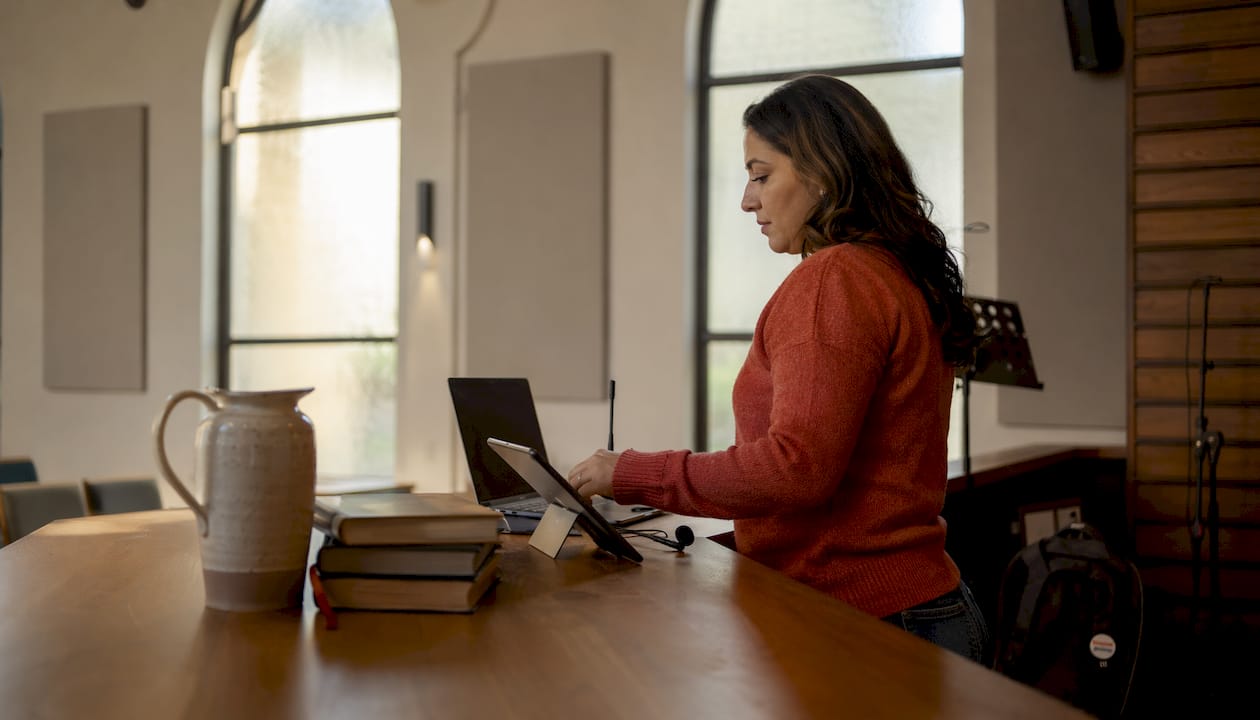
It offers easy setup, real-time translation, and exportable transcripts, making accessibility and bilingual outreach simple. Churches can pilot the system in one service for $19.99 monthly, with no hardware or dedicated interpreters needed.
Live Caption AI is the recommended church translation app for U.S. congregations that need live captions and multilingual translation without expensive hardware or a dedicated interpreter. It turns any attendee’s phone into a caption receiver via QR code, costs as little as a low monthly subscription fee, and is ADA-compliant out of the box.
TL;DR:
-
Live captions and real-time translation delivered to phones via QR code — no app download required for attendees
-
Plans start at a reasonable monthly fee, much less than a live stenographer or interpreter
-
Run a pilot this Sunday: sign up, start a broadcaster session, display the QR code, and you’re live
Ready to test it before next weekend? Start your free 7-day trial — no credit card required.
Table of Contents
-
How to run a pilot this Sunday: checklist and announcement script
-
What church tech leads actually get wrong about live translation
What can Live Caption AI do for your church?
Live Caption AI covers three core workflows churches actually need. In Translation mode, the broadcaster selects the target language for captions before the service starts. Attendees receive captions in that language on their phones the moment they scan the QR code. In Conversation mode on the web, two people speaking different languages can exchange dialogue and read each other’s words in real time. You set two primary languages. Deepgram may also recognize other languages it hears, though accuracy is best for the two you select. Translation output goes to the language you choose — 29 are available.
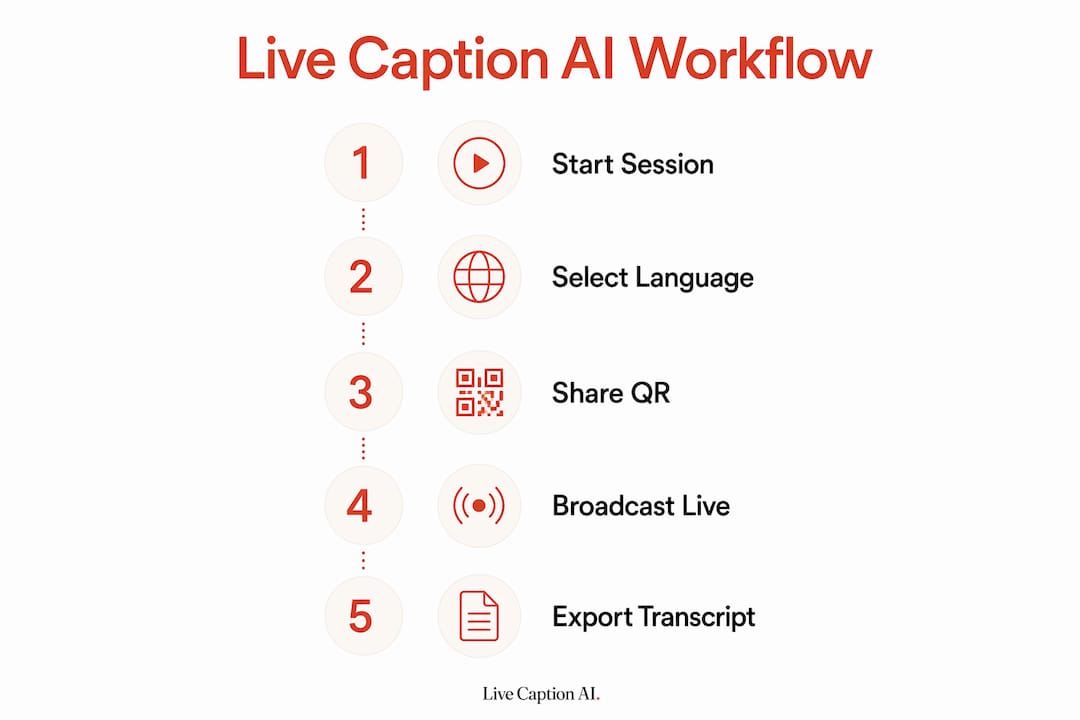
Beyond live delivery, every session produces an exportable transcript, useful for small-group follow-up or archiving sermons.
The platform uses domain-specific accuracy models that capture theological terms and scripture references that generic speech-to-text engines routinely miss. That matters when your pastor is citing Deuteronomy or referencing the Nicene Creed. A product demo is accessible directly from the Live Caption AI website, so your tech team can see the QR-code join flow before committing to a plan.
How does the app work in a live service?
Setup takes under 45 minutes the first time. Here is the full flow:
-
Connect your audio source. Plug a clean mic feed (post-fader from your mixing console, low room echo) into the device running the broadcaster session. Audio quality is the single biggest factor in caption accuracy.
-
Start a Live Caption AI broadcaster session. Log in on any internet-connected device — laptop, tablet, or phone.
-
Select your mode. Choose Translation mode and pick the target language for captions, or choose Conversation mode (only available on web) and set the two primary languages for the session.
-
Display the QR code. Project it on a screen, print it in the bulletin, or show it on a lobby monitor. Attendees scan and start reading captions immediately.
-
Monitor and record. Watch the live transcript on the broadcaster screen. The session records automatically for export after the service.
-
Export the transcript. Download it post-service for study groups, sermon archives, or accessibility records.
Tech checklist before Sunday:
-
Stable internet connection (wired preferred for the broadcaster device)
-
Clean XLR or line-level mic feed from your console
-
A screen or printed bulletin insert to display the QR code
-
Any smartphone or tablet for the broadcaster role — no dedicated hardware needed
-
Compatible with major streaming platforms for simultaneous livestream captioning
Pro Tip: Run a 10-minute test session with two volunteers the day before. Have one volunteer scan the QR code from the back of the room and confirm captions appear within 2–3 seconds. This catches mic-routing issues before Sunday morning.

What does Live Caption AI cost for a small or large church?
Most churches land on the Professional plan. At $19.99 a month, it covers a typical weekly service schedule and unlocks cloud-based captioning, translation, and transcript export. Compare that to a live stenographer, whose fees can run into the hundreds of dollars per session.
| Plan | Monthly Price | Best For | Key Features Unlocked |
|---|---|---|---|
| Free | — | One-time test or very small group | Basic on-device captions |
| Professional | $19.99 | Small to mid-size church, weekly services | Cloud captions, Translation mode, transcripts |
| Team | $59.99 | Built for all-day translated events, venues & AV companies. | Everything in Professional. 25 hrs/mo live translation ( 3× Professional) |
| Business | Contact for pricing | Large congregation, events, conferences | Full feature set, Custom seats, pooled translation hours, invoicing & priority support. (Coming soon) |
A single stenographer session can cost hundreds of dollars. Live Caption AI’s Professional plan covers an entire month of weekly services at an affordable monthly fee.
For a small church running one service per week, the annual cost at the Professional tier is a predictable line item rather than a per-event expense. Multi-site churches or those running bilingual outreach events will want to explore the Team or Business tiers, where multiple broadcaster seats and advanced compliance options become available.
Which church scenarios does this work best for?
Live Caption AI fits a range of real-world church use cases. Here is how each one plays out in practice:
-
Weekly in-room captions: Project the QR code on the main screen during announcements. Attendees with hearing loss or limited English proficiency scan once and follow the entire service. Place a printed QR code in every bulletin as a backup.
-
Livestream captions for remote viewers: Run the broadcaster session alongside your streaming software. Remote viewers receive captions through the same QR-code link, keeping your online congregation included.
-
Multilingual visitor integration: When your congregation includes Spanish-speaking visitors, set Translation mode to Spanish before the service. Visitors scan the QR code and read the sermon in their preferred language. The YouVersion Bible App and Bible Gateway already show how strong the demand for multilingual scripture access is — live sermon translation extends that same accessibility to the spoken word.
-
Outreach events and retreats: For a bilingual Q&A or small-group discussion, Conversation mode (web only) lets two participants speak in different languages and read each other’s responses in real time.
-
Archived transcripts for study groups: Export the session transcript after each service and share it with small-group leaders for discussion prep.
Pro Tip: Add a short announcement script to your order of service: “If you’d like captions or a translation today, scan the QR code on your screen or in your bulletin. No download needed — just open the link on your phone.” Congregants who need it most are often the least likely to ask.
Does live captioning meet ADA requirements for churches?
The Americans with Disabilities Act requires places of public accommodation to provide effective communication for people with disabilities. Live captions are one of the most direct ways to meet that standard for attendees who are deaf or hard of hearing.
Accuracy matters here. Generic automatic speech recognition (ASR) tools struggle with theological vocabulary — names like Zephaniah, terms like eschatology, or phrases from the Nicene Creed. Live Caption AI’s domain-specific models reduce those errors meaningfully compared with off-the-shelf ASR. General data handling follows standard cloud security practices; review the Live Caption AI privacy documentation for specifics relevant to your congregation’s situation.
This article is general information, not legal advice. Confirm your specific ADA obligations with a qualified attorney or your denomination’s legal counsel.
How to run a pilot this Sunday: checklist and announcement script
You can run a meaningful pilot in a single service with about 30–45 minutes of setup. Here is the checklist:
-
Sign up for a free trial at livecaptionai.com — no credit card required.
-
Choose one service segment (sermon only is fine for a first pilot).
-
Create a broadcaster session and select Translation mode or Conversation mode (available on web only).
-
Display the QR code on the main screen and print it in the bulletin.
-
Ask two volunteers to scan and monitor captions from different spots in the room.
-
After the service, export the transcript and collect quick feedback from volunteers.
Pilot metrics to track:
| Metric | What to Measure | Target |
|---|---|---|
| Join rate | % of targeted attendees who scanned | within minutes in the first service |
| Caption delay | Seconds from speech to screen | Under 3 seconds |
| Error observations | Missed or wrong words noted by volunteers | Fewer than 5 per 10 minutes |
| Attendee satisfaction | Simple yes/no from 5–10 attendees | mostly positive |
| Post-service action | Transcript exported and reviewed | Completed same day |
Sample announcement script:“Good morning. If you’d like to follow today’s sermon with captions or in another language, scan the QR code on the screen or in your bulletin. No download needed — just open the link on your phone and captions will appear automatically.”
A short pilot with clear metrics is the fastest way to build the case for a full subscription with your leadership team.
Key Takeaways
Live Caption AI is the most practical church translation app for U.S. congregations: ADA-compliant, phone-based, and ready to pilot in a single service for $19.99 a month.
| Point | Details |
|---|---|
| Start with Translation mode | The broadcaster selects the target language; attendees scan a QR code and read captions on their phones. |
| Conversation mode for two-way dialogue | You set two primary languages. Deepgram may also recognize other languages it hears, though accuracy is best for the two you select. Translation output goes to the language you choose — 29 are available. |
| Cost vs. traditional interpretation | Professional plan starts at $19.99/month, compared to hundreds of dollars per session for a live stenographer. |
| Pilot in one service | A 30–45 minute setup is enough to run a meaningful first test; track join rate, caption delay, and volunteer feedback. |
| Live Caption AI for churches |
What church tech leads actually get wrong about live translation
Most tech teams spend too much time evaluating features and not enough time on the two things that actually determine whether a church translation app succeeds: audio quality and announcement placement.
A clean mic feed matters more than any model upgrade. If your pastor is speaking through a room-echo-heavy PA with a gain-staged mic, even the best ASR will struggle. Fix the audio chain first. That single change will do more for caption accuracy than any software setting.
The second mistake is treating captions as a passive feature. If you don’t tell your congregation the captions exist, the people who need them most — visitors, attendees with hearing loss, non-English speakers — won’t know to look. A 15-second announcement and a QR code in the bulletin changes adoption immediately.
For the first 90 days, focus on three things: rehearse with your sound team, script the announcement, and export the transcript after every service. By week 12, you’ll have a body of evidence that justifies the subscription and a workflow your volunteers can run without you.
Live Caption AI is ready for your church this Sunday
No hardware. No stenographer. No per-session interpreter fee. Live Caption AI gives your congregation live captions and real-time translation for $19.99 a month — and your first 7 days are free.

Here is what you get from day one: ADA-compliant captions delivered to any phone via QR code, Translation mode with broadcaster-selected language, Conversation mode supporting English, Spanish, French, German, Russian, Portuguese, Japanese, Italian, and Dutch (available on web only), and domain-specific accuracy for theological vocabulary. No credit card required to start.
Sign up at livecaptionai.com, start your broadcaster session, and display the QR code this Sunday. Your multilingual congregation is ready — the tool is too.
Useful sources and further reading
| Resource | What It Covers |
|---|---|
| Live Caption AI | Product landing page: features, pricing tiers, demo request, and trial signup |
| YouVersion Bible App | Multilingual scripture access; context for digital church engagement |
| Bible Gateway App | many Bible translations and audio Bibles; church digital tool context |
| Interpretation System for Churches | Hardware interpretation systems; useful for complex AV setups |
| Best Church App Tools — Appy Pie | Overview of church app tradeoffs: free vs. paid, accuracy considerations |
| Theotech — How to Start a Multilingual Church | Practical guidance on building multilingual worship communities |
| Communication Access Real-time Translation — Wikipedia | Background on CART captioning and ADA communication access standards |