July 22, 2026 · 7 min read
Best Captioning App in 2026: Top Picks for ADA Compliance
Discover the best captioning app for ADA compliance in 2026. Live Caption AI offers real-time transcription, device flexibility, and affordability.

What’s the best captioning app for US users?
It covers real-time transcription, unlimited device broadcasting via QR code, and domain-specific vocabulary for medical, legal, and professional settings, all at a fraction of traditional stenographer costs.
Here’s what sets the best live captioning apps apart:
- ADA compliance built into the core product, not bolted on
- Real-time accuracy powered by AI speech recognition with specialized terminology support
- Device flexibility across iOS, Android, and desktop
- Affordable pricing starting at $19.99/month versus hundreds per session for a stenographer
- Multi-language support for diverse audiences
The FCC funds free real-time call captioning through the Telecommunications Relay Service for individuals with hearing loss in the US, which covers phone-specific needs. For everything else, including events, churches, clinics, and meetings, a dedicated captioning app is your best tool.
Table of Contents
- Key features that define a quality captioning app
- Which captioning app fits your specific environment?
- Why Live Caption AI stands out as the best captioning app
- How to choose the right captioning app for your needs
- Live Caption AI: real-time captions without the overhead
- Key Takeaways
Key features that define a quality captioning app
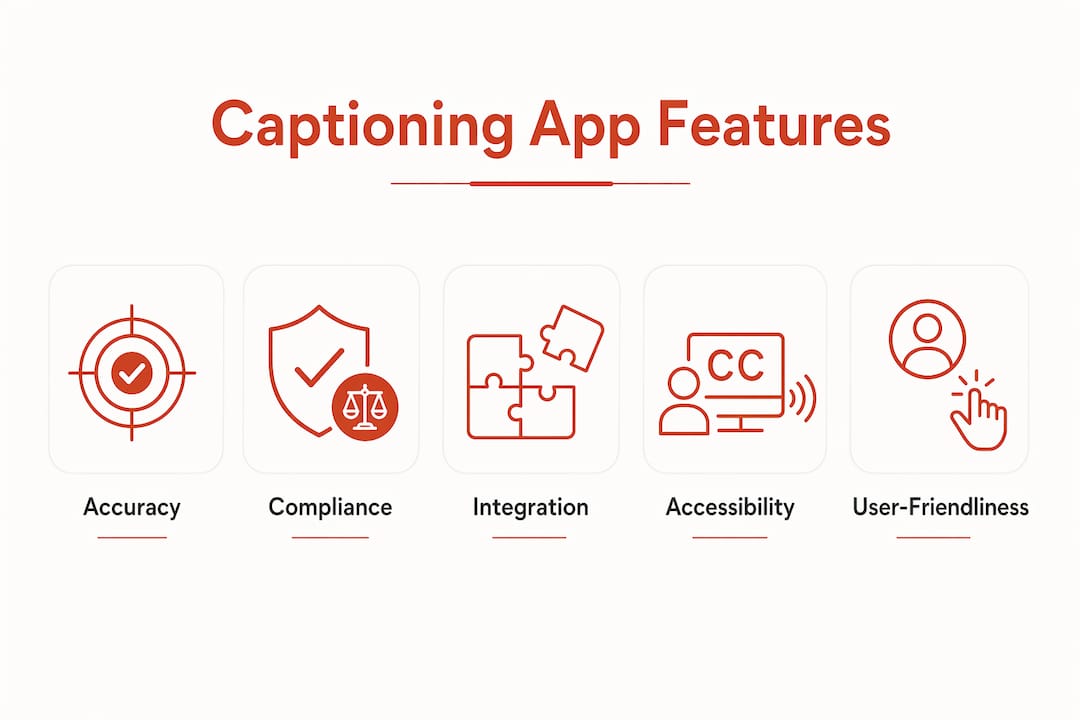
Not all live subtitle software is built the same. These are the features that actually matter when you’re evaluating your options:
- Speech recognition accuracy: AI-powered apps can reach 90%+ accuracy in standard conditions. For complex multi-speaker or technical environments, ADA.gov notes that CART or live stenographers may still be necessary to close accuracy gaps.
- Platform compatibility: The best apps run on Android, iOS, and desktop without forcing you to choose one ecosystem.
- Viewing comfort: Features like customizable fonts, high-contrast display, and 180-degree text flipping make captions usable in real-world conditions. Live Transcribe supports 120+ languages and includes these viewing options.
- Offline vs. online functionality: Some apps transcribe locally on-device; others rely on cloud speech-to-text (cloud STT) for higher accuracy. Knowing which you need matters.
- Multi-language support: For diverse audiences, look for apps that handle multiple languages and dialects without manual switching.
- Integration with video and meeting platforms: The best live captioning software connects with Zoom, Teams, and social media platforms so captions travel with your content.
- Exportable transcripts: Saved captions are useful for compliance records, meeting notes, and accessibility documentation.
Pro Tip: If you’re running events with non-English speakers, prioritize apps with real-time translation, not just transcription. Those are two different features.
Which captioning app fits your specific environment?
Accessibility specialists at Gallaudet University make a clear point: the right app depends on your environment. Here’s how to match the tool to the setting.
Everyday and on-the-go use: Simple mobile captioning apps work well for one-on-one conversations, doctor visits, and daily interactions. They’re lightweight, fast to launch, and don’t require setup.
Professional meetings and events: You need higher accuracy, compliance features, and platform integrations. A mobile captioning app that can’t connect to your video conferencing software creates friction, not accessibility.

Medical and legal settings: These environments require HIPAA-compliant deployment and domain-specific vocabulary. Generic speech-to-text tools frequently miss clinical or legal terminology, which creates real documentation and liability risks. For guaranteed accuracy in complex legal proceedings, ADA.gov still recommends CART services.
Churches and large venues: Broadcasting captions to hundreds of attendees on their own phones, without distributing hardware, is a practical necessity. QR-code-based caption delivery solves this directly.
Phone calls for the deaf and hard of hearing: FCC-certified services provide free real-time call captioning funded through the Telecommunications Relay Service. Users can switch between automated speech recognition and live stenographers mid-call at no cost.
For accessibility technology that supports a wider range of hearing-impaired users, the accessible inventor platform offers useful context on how the field is evolving.
Why Live Caption AI stands out as the best captioning app
Live Caption AI was built specifically for the environments where generic apps fall short.
- ADA-compliant by design: Every session supports the accessibility standards US organizations are required to meet.
- Domain-specific accuracy: Specialized vocabulary models handle medical, legal, and professional terminology that standard speech-to-text engines miss.
- QR code broadcasting: Any phone becomes a caption receiver instantly. No hardware. No app download required for attendees. Share a QR code and you’re live.
- Unlimited device broadcasting: One session reaches an entire room simultaneously, whether that’s 10 people or 500.
- AI-powered live summaries: Transcripts are exportable, and AI summaries give organizers a record of key points without manual note-taking.
Cost comparison: A typical captioning session with a stenographer can run hundreds of dollars. Live Caption AI offers subscription plans at affordable monthly rates., covering unlimited sessions within your plan tier.
That pricing difference is significant for churches, nonprofits, and small practices that need consistent accessibility without a large budget.
How to choose the right captioning app for your needs
The right choice comes down to four questions: Does it meet ADA compliance requirements? Is the accuracy sufficient for your environment? Does it work on your devices? And does the cost fit your budget?
- ADA compliance is non-negotiable for US organizations serving the public.
- Accuracy varies by environment. AI handles most settings well; complex legal or medical proceedings may still need human backup.
- Platform support matters if your audience uses a mix of iOS, Android, and desktop.
- Cost efficiency is where Live Caption AI consistently wins over traditional options.
For most US organizations and individuals, Live Caption AI covers all four. It’s the strongest all-around choice for best live transcription across professional, medical, educational, and community settings.
Live Caption AI: real-time captions without the overhead
Stenographers are expensive. Hardware is a hassle. Live Caption AI removes both.

No equipment to rent. No specialist to schedule. Just plug in, share a QR code, and your audience has captions on their own phones in seconds.
Start your 7-day free trial and see what accessible captioning looks like when it’s built for your environment.
Key Takeaways
| Point | Details |
|---|---|
| ADA compliance is the baseline | Any captioning app used by US organizations must meet ADA accessibility standards, not just offer transcription. |
| AI accuracy has real limits | Complex legal or medical settings may still require CART or human stenographers per ADA.gov guidance. |
| QR code delivery changes the game | Live Caption AI broadcasts captions to unlimited devices instantly, with no hardware or app install for attendees. |
| Cost savings are significant | Live Caption AI starts at $19.99/month versus hundreds of dollars per session for a traditional stenographer. |
| Live Caption AI fits most US use cases |