August 24, 2026 · 16 min read
Making Public Meetings Accessible: A Captioning Playbook
Enhance accessibility in public places with live captioning, ensuring compliance and engagement while providing essential transcripts for all audiences.
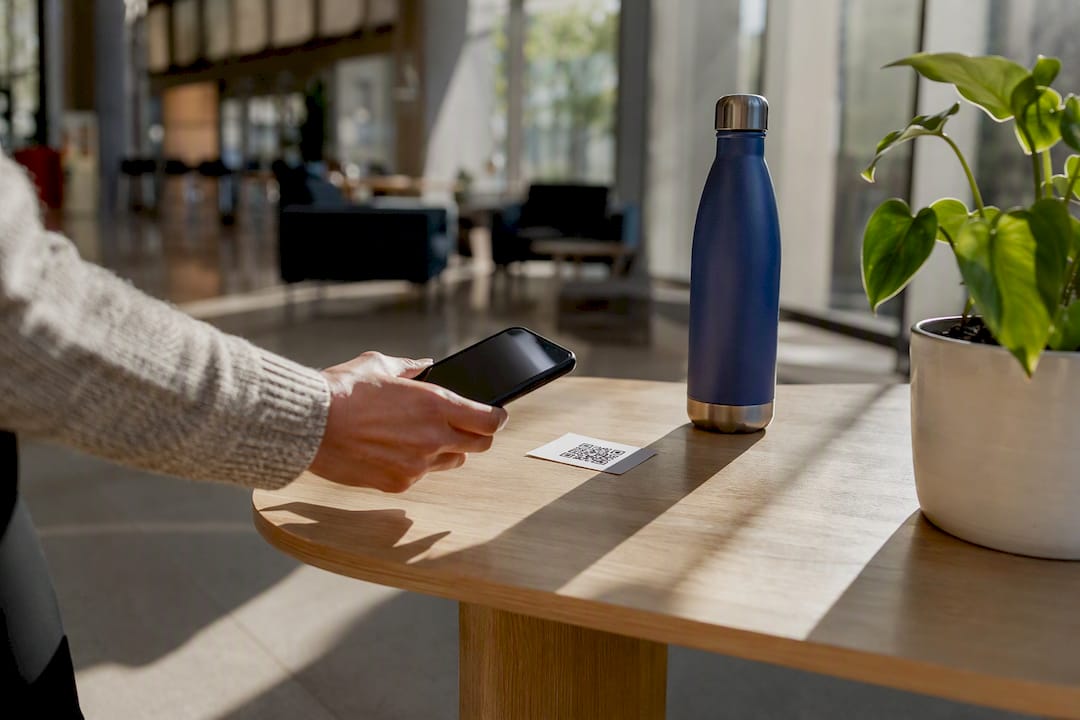
The fastest way to deliver accessibility in public places for spoken content is live real-time captioning: a room display paired with personal-device captions that attendees reach by scanning a QR code or tapping a link. This single setup covers ADA-facing obligations, gives non-native English speakers a way to follow along, and hands you a searchable transcript when the meeting ends. Live Caption AI is one deployable example of this model, built specifically for town halls, museums, transit briefings, and church services. Done right, this approach delivers three things at once: documented compliance, a bigger and more engaged audience, and a written record you can publish or reuse.
Key Takeaways
Live real-time captioning, delivered through a room display and a QR-accessible personal-device feed, is the most practical way to meet ADA effective communication obligations while growing civic engagement at public events.
| Point | Details |
|---|---|
| Legal duty is specific | Title II and Title III require effective communication, naming CART and captioning as recognized auxiliary aids. |
| Preparation prevents errors | Sharing agendas, speaker lists, and glossaries in advance cuts caption mistakes before the event starts. |
| Method depends on stakes | Reserve certified CART for high-stakes legal or medical content; automated captioning fits routine civic meetings. |
| Discoverability drives adoption | QR codes at entrances, seat cards, and a spoken announcement matter as much as caption accuracy itself. |
| Live Caption AI covers the workflow | Offers 29-language support, domain-tuned accuracy, TXT/SRT/JSON/PDF exports, and Pro access at $19.99 a month. |
Table of Contents
- Why Accessibility In Public Places Depends On Captioning
- What Does ADA Guidance Require For Live Events?
- What Should You Prepare Before The Event?
- CART, Automated Captions, Or A Hybrid Approach?
- How Do You Prep Presenters And Test Audio?
- How Do You Get People To Actually Use The Captions?
- How Live Caption AI Fits A Civic Or Museum Event
- Can Sign Language Interpretation Work Alongside Captions?
- How Do Captioning And Interpretation Providers Coordinate?
- How Should Staff Train For Accessibility Tech On Site?
- How Do You Handle Multiple Languages At One Event?
- How Do You Support Attendees With Combined Disabilities?
- What The Research Actually Supports
- Give Attendees A Caption Feed That Works Out Of The Box
- Sources
Why Accessibility In Public Places Depends On Captioning
Federal law does not leave this optional. Title II and Title III of the ADA require effective communication for people with hearing disabilities, naming qualified interpreters, CART, and captioning as recognized auxiliary aids. For a town hall or transit board meeting, that duty extends to public participation itself: a resident who cannot follow the agenda cannot meaningfully comment on it.
Captions also solve a second problem hosts underestimate. They help attendees in loud rooms, older adults with partial hearing loss, and anyone whose first language isn’t English follow a live presentation without asking a neighbor to repeat it. Transit and public-meeting toolkits go further, requiring accessible two-way communication at meetings, not just accessible venues.
Pro Tip: Treat captioning as a participation tool, not just a legal checkbox. Meetings that caption well tend to get more public comment, not less.
What Does ADA Guidance Require For Live Events?
The ADA planning toolkit lists specific auxiliary aids and services hosts can choose from: qualified interpreters, CART, open or closed captioning, and assistive listening systems, alongside a recommendation to plan ahead and offer alternative formats. Hosts get real latitude in which aid to use, provided the result is genuinely effective communication.
The legal test balances “reasonable modification” against “undue burden.” A small church group might reasonably choose automated captioning over an on-site CART captioner; a municipal court almost never gets to make that same tradeoff. Document the request, your response, and the accommodation delivered. That record protects you if a decision is ever questioned.
Government bodies and transit agencies face a sharper standard for public meetings, including hybrid and virtual sessions. Streamed meetings need equivalent visual access to spoken audio and should be tested for platform accessibility before the broadcast, not during it.
What Should You Prepare Before The Event?
Reliable captions come from preparation, not luck. Work through this list starting at least a week before your event, longer if you need a certified CART captioner.
- Pick your delivery model. Decide between on-site CART, remote CART, automated captioning, or a hybrid setup, and confirm whether you need one language or a translated feed.
- Gather your materials. Agendas, speaker lists, slide decks, glossaries, and pronunciation notes all reduce caption errors before a single word is spoken.
- Lock down your audio. A direct feed from the sound board beats a room microphone every time; run a sound check and set expectations for a few seconds of latency.
- Plan the display and the fallback. Set up a legible screen with high-contrast text, and put a QR code on-screen and in printed programs so attendees can pull captions to their own phones.
- Settle privacy questions in advance. Know who owns the transcript, whether audio gets stored anywhere, and whether the event needs a deployment option built for sensitive conversations.
Pro Tip: Send your glossary and speaker list to whoever is running captions at least 48 hours out; a list of names and acronyms sent five minutes before showtime does almost no good.
CART, Automated Captions, Or A Hybrid Approach?
No single method wins every event. The right call depends on stakes, budget, and how complicated the language will get.
- CART (Communication Access Realtime Translation) uses a certified captioner (often CRC-credentialed) typing verbatim text in real time. It is the strongest choice for legal proceedings, medical consent discussions, or any meeting where a misheard word carries real consequences.
- Automated or AI-driven captioning trades some accuracy variability for speed, lower cost, and the ability to scale across multiple rooms or a much larger audience without hiring additional staff.
- Hybrid workflows pair a human reviewer, a respeaker, or an interpreter with a captioning pipeline, a common setup for multilingual events or technical subject matter where domain vocabulary needs a second set of eyes.
Weigh four factors before you choose: how high the stakes are if a word gets missed, what your budget actually allows, how many languages the room needs, and how clean your audio feed will be. A packed public hearing on a zoning variance has different requirements than a museum docent tour, even though both need live real-time captioning.
How Do You Prep Presenters And Test Audio?
Most caption failures trace back to preparation gaps, not technology limits. Providing captioners with agendas, speaker lists, acronyms, and technical vocabulary in advance measurably cuts down on errors and confusion during the session itself.
- Send agendas, presenter bios, slide decks, and a glossary of technical terms or acronyms at least several days ahead.
- Run an audio test with whoever is handling captions, ideally through a direct feed rather than a room mic, and build the test into your event timeline rather than treating it as optional.
- Assign one person as the access coordinator for the event. That person owns backup connectivity, schedules breaks for long sessions, and is the point of contact if something breaks mid-meeting.
- Brief every speaker beforehand: hold the microphone properly, speak at a measured pace, and open the meeting by mentioning that captions are available and where to find them.
None of this requires a large team. A single event captioning workflow guide and one dedicated coordinator cover most civic meetings and museum programs comfortably.
How Do You Get People To Actually Use The Captions?
A caption feed nobody notices doesn’t help anyone. Signage and digital reminders measurably increase caption adoption, largely because most attendees simply don’t know captions exist unless someone tells them.
Put QR codes at the entrance, on seat cards near the front rows, and printed in the event program, not buried in a footer. Keep on-sign copy short and direct: “Scan for live captions and translation” works better than a paragraph of instructions. Include the same line in your pre-event email or digital invite so people arrive already knowing what to expect.
Ask the speaker to mention captions in the opening thirty seconds, with a one-line how-to. If your captioning tool shows a live concurrent viewer count, glance at it partway through the session. A flat or declining number after your announcement usually means your signage needs to be more visible, not that people don’t want the feature.
Pro Tip: Reannounce captions after any break. Attendees who arrive late or return from intermission miss the opening mention entirely.
How Live Caption AI Fits A Civic Or Museum Event
Live Caption AI turns the checklist above into a working setup rather than a to-do list. Attendees scan a QR code and get live captions on their own phone, no app or hardware required, and any number of devices can connect to the same broadcast.
- Multiple languages are supported, with sessions typically configured for one source language mapped to one target language per session.
- Domain-specific accuracy tuned to catch the technical terms, agency acronyms, or institution-specific vocabulary that generic speech-to-text tools tend to miss.
- Exports in TXT, SRT, JSON, or PDF so a transcript becomes a public record, a captioned video file, or a summary for your newsletter.
- Audio is never stored, and transcripts stay under the owner’s control for export, which matters for churches and public bodies handling sensitive discussions.
This is not a public-safety or emergency-alert system, and no captioning tool should claim guaranteed accuracy. For a routine town hall or museum tour, automated captioning with domain tuning is a strong fit. For depositions, courtroom proceedings, or complex medical consent conversations, pair it with certified human CART or treat automated output as a supplement rather than the sole record.
Can Sign Language Interpretation Work Alongside Captions?
Captions and sign language interpretation solve overlapping but distinct problems, and neither fully replaces the other. American Sign Language has its own grammar and rhythm, so a Deaf ASL user watching an interpreter often processes the meeting faster and more naturally than reading scrolling text, especially during fast back-and-forth discussion like public comment periods.
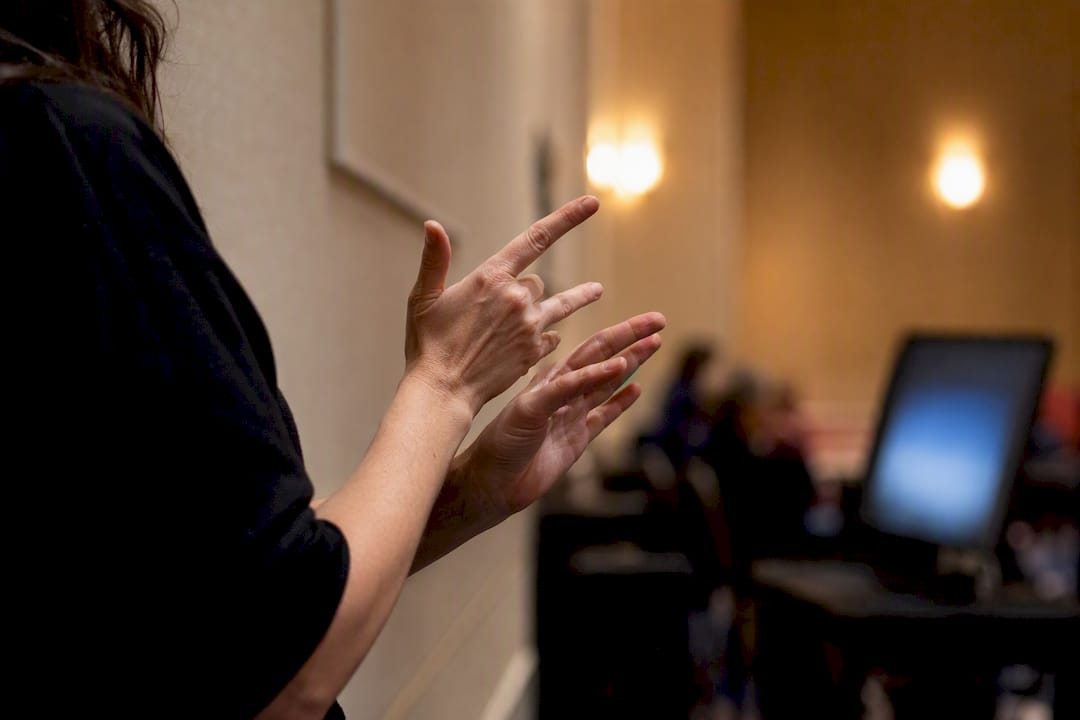
Some attendees prefer captions because they can review earlier lines, catch names and numbers precisely, or don’t use ASL at all. Offering both, rather than picking one, covers the widest range of needs at a single event. A museum tour or town hall with both an interpreter positioned in clear sightline of the audience and a QR-code caption feed gives every attendee a real choice.
The practical challenge is logistics, not philosophy. An interpreter needs a clear line of sight to the speaker and enough space to be visible without blocking the screen or the caption display. If you’re running both services, position the interpreter and the caption screen so an attendee doesn’t have to choose between watching one and reading the other. For long meetings, plan interpreter rotation the same way you’d plan a break for a CART captioner. Fatigue affects interpretation accuracy just as it affects typed captions.
How Do Captioning And Interpretation Providers Coordinate?
The most common accessibility failure at public events isn’t a missing service. It’s two accessibility services running independently, with no shared script, no synced timing, and conflicting terminology. A captioner and an interpreter working the same meeting need the same prep materials, not two separate rounds of guesswork.
Send both providers the identical agenda, speaker list, and glossary of technical terms well before the event. If a councilmember’s name or a program acronym gets flagged for the captioner, the interpreter should see that same note. Establish who is the point of contact on-site so a technical hiccup with the audio feed doesn’t stall both services while everyone tries to figure out who to call.
For hybrid or virtual events, confirm that your streaming platform can display captions and pipe an interpreter’s video feed at the same time without one crowding out the other. This is exactly the kind of accessibility feature transit and public-meeting toolkits expect agencies to test before the meeting goes live, not during it. A five-minute dry run with both providers connected catches most conflicts before an audience is watching.
How Should Staff Train For Accessibility Tech On Site?
The best captioning setup fails if nobody in the room knows how to fix a dropped connection or answer an attendee’s question about where to find the QR code. Staff training doesn’t need to be extensive, but it does need to be specific.
Assign one staff member, not necessarily a technical expert, as the access point of contact for the event. That person should know how to restart the caption feed if the display freezes, where the backup QR code or printed link card lives, and who to call if the audio feed cuts out mid-session. Walk through this with them once before doors open, not as an afterthought while attendees are already seated.
Give front-of-house staff a one-line answer for the most common question they’ll get: “How do I see the captions?” A confused volunteer pointing someone toward a broken link does more damage to adoption than no signage at all. If your event uses a live concurrent viewer count as an adoption signal, tell one staff member to check it partway through and flag a sudden drop to the access coordinator. Small, specific responsibilities beat a general “everyone should know how this works” approach every time.
How Do You Handle Multiple Languages At One Event?
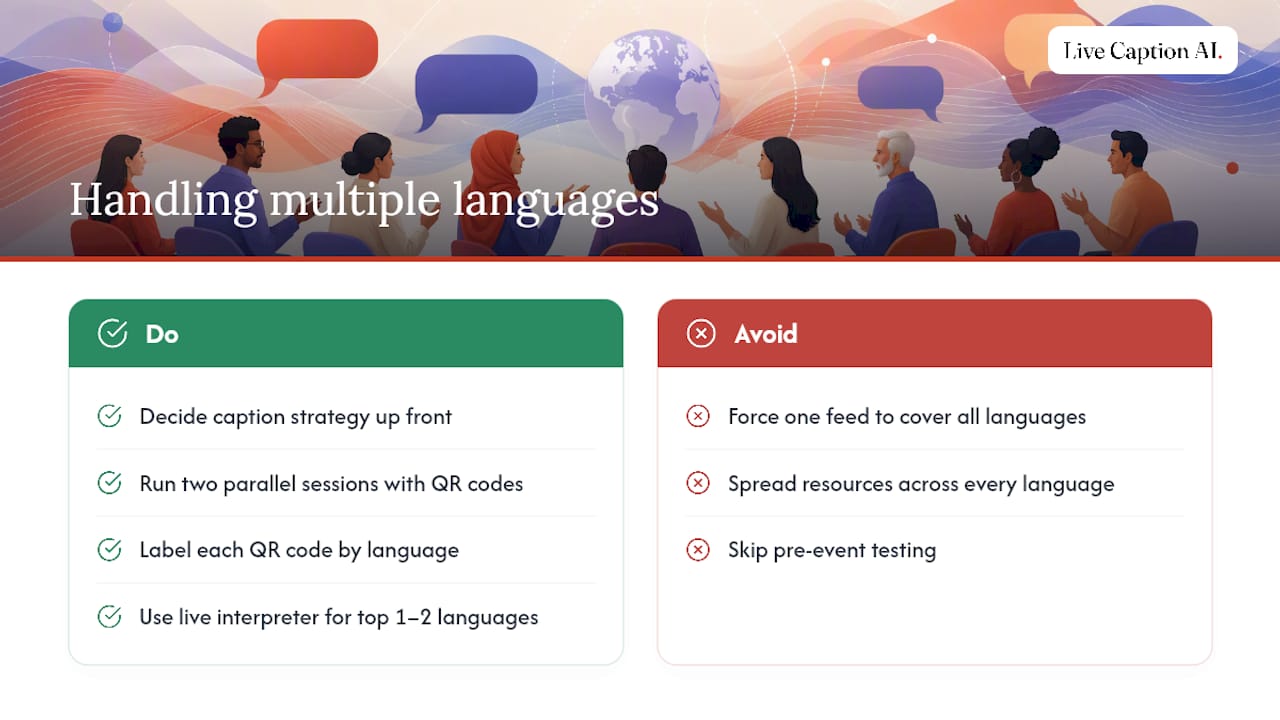
Most live captioning tools, Live Caption AI included, run one source language to one target language per session rather than broadcasting several languages at once. That constraint is manageable with the right setup, but it requires a decision up front: same-language captions, translated captions, or both, depending on your audience.
For a bilingual community meeting, the cleanest solution is often running two parallel sessions, each with its own QR code and its own source-to-target pairing, rather than trying to force one feed to cover every language spoken in the room. Label each QR code clearly by language so attendees scan the right one the first time. For events with several smaller language groups, pairing automated captioning with a live interpreter for the one or two languages with the highest attendance usually covers more people than spreading resources thin across every language represented.
Whatever combination you choose, test it before the event. A caption feed that quietly outputs the wrong target language for ten minutes does real harm to trust, and it’s the kind of error that’s easy to catch in a rehearsal and hard to catch live.
How Do You Support Attendees With Combined Disabilities?
Hearing loss rarely shows up alone, and a captioning setup built only for a hearing impairment can leave someone with low vision or a mobility limitation still struggling to participate. A few adjustments cover most of this ground without adding much cost.
Font size and contrast matter as much on a personal phone screen as on a projector display. Give attendees a way to increase text size on their own device rather than fixing one font size for everyone. For attendees who are both Deaf and have low vision, a combination of a large-format room display, a personal device set to their preferred size, and a printed transcript afterward covers more bases than any single format alone.
Seating matters too. Reserve front-row space near both the screen and any sign language interpreter, and make sure the path to that seating doesn’t require navigating stairs or a narrow aisle. If your venue offers assistive listening systems alongside captioning, make sure staff know both options exist and can point attendees toward whichever fits their needs, rather than assuming captions alone solve every case in the room.
What The Research Actually Supports
Most accessibility advice treats captioning like a compliance checkbox: bolt it on, satisfy the auditor, move on. That framing misses the more useful point. Meetings that caption well tend to see more public comment, not less, because captions remove friction for people who were always entitled to participate but couldn’t follow the discussion well enough to speak up.
The conventional advice also overstates the choice between “human” and “automated” as if it were binary. It isn’t. The stakes of the specific meeting should drive that decision, not a blanket policy. A zoning hearing that could end in litigation deserves certified CART. A museum docent tour or a monthly library board meeting doesn’t need that expense to meet the moment.
What gets underweighted almost everywhere is discoverability. A caption feed nobody notices might as well not exist, and the fix costs nothing: a QR code at the door, a one-line announcement from the podium, a mention in the invite. Get that right before worrying about which captioning method to use.
— Ryan
Give Attendees A Caption Feed That Works Out Of The Box
Live Caption AI replaces the stenographer quote and the hardware rental with a QR code and a monthly subscription, a direct fit for the town halls, museum tours, and transit briefings covered above. Instead of booking a certified captioner weeks out for every routine meeting, your team gets domain-tuned accuracy, 29-language support, and exportable transcripts for a fraction of typical stenographer fees.

Attendees scan a QR code, read captions on their own phone, and can tap up to three speaker links, your website, a book, or a signup page, that stay active even after the session ends. You’ll see a live concurrent viewer count while the session runs, and every transcript exports in TXT, SRT, JSON, or PDF for reuse as a newsletter recap or public record. Start with the free plan after signup or try the live demo with no signup required to see how it runs before your next public meeting.